 WaterrrForever
b9be0b2625
WaterrrForever
b9be0b2625
* feat(studio,cli): per-frame board comments, self-refreshing storyboard, status-aware preview landing

Per-frame comment boxes on the storyboard board batch into
.hyperframes/frame-comments.json (a resubmit wins per frame; unconsumed
comments on other frames are kept). Submitted-but-unconsumed comments
stay visible — a toolbar banner plus a per-tile echo — until the agent
consumes the file; the banner also says what to do next (reply anything
in the agent chat).

The board keeps itself current: GET /projects/:id/signature exposes the
watcher-cached project signature, the storyboard payload carries the
signature it was derived from, and the view polls at 2s (hidden tabs
skipped, re-checked on visibility), refetching in place with no loading
flash. Posters bake the signature into their URL so tiles fill in as
sketches land and a poster that failed mid-write retries on the next
version; the empty state upgrades itself when STORYBOARD.md appears,
and its handoff prompt now points the agent at the review loop and uses
the parser's real status vocabulary (outline, not planned).

preview lands the browser on the storyboard view while the board is the
review surface — any frame built, or pure planning (srcs declared, none
on disk yet) — and on the timeline once the video is assembled.

* feat(skills): the review loop — plan, sketch, build as one shared process

hyperframes-core/references/review-loop.md is the single source for the
three-pass collaborative review: the plan proposed on a live board
(§ 1), wireframe sketches marked built with one layout question (§ 2 —
real words on plain blocks, run no CLI; a confirmed board is itself a
valid deliverable when the user asked for a storyboard, not a video),
the build dressing confirmed layouts (§ 3, worker or inline), and the
final look (§ 4). Autonomous runs skip every gate and keep one question
before render.

The three narrative workflows' Steps 3/4/6 collapse to references plus
their sketch stand-ins (captured-asset blocks for product-launch-video,
plain code panels for pr-to-video); the confirmed-sketch handoff stays
in each frame-worker prompt. general-video plans on a board for
multi-scene narrative pieces in collaborative mode — its sketch pass is
layout-before-animation with the user watching. The router treats
"I want a storyboard" as a process request rather than a route, and
closes exploratory intake by recommending a route plus how the run will
review.

The supporting contracts land next door: the comments channel (silent
submit, one reply picks it up, check the file before the words) in
brief-contract § 1; the sidecar schema and the built status rung in
storyboard-format; the mode question asked first and alone in the three
workflows' Step 0.

* feat(media-use): user memory — remembered preferences and frozen recipes

Two tiers of memory on media-use's existing two-tier storage split.

Preferences (lightweight): confirmed brief answers — destination, aspect,
language, mode, voice, style preset — recorded to the project's
.media/preferences.json (committed, the team inherits it) and promoted
to the personal ~/.media/preferences.json once the same value is
confirmed in two different projects (a sightings ledger accumulates the
cross-project evidence user-side, since project files can't see each
other). prefs.mjs get/record; merge reads project-over-user; a changed
value restarts its provenance.

Recipes (heavyweight): one approved run frozen as a named, versioned
bundle — frame.md, the storyboard skeleton (structure kept: durations,
transitions, srcs, Video direction; statuses reset to outline; content
blanked to per-frame fill-ins naming the beat's role), and the confirmed
brief values. Named folders, not content hashes: re-freezing bumps
version and archives <name>@v<N>; a freeze is already confirmed, so it
promotes to the user tier immediately. recipe.mjs freeze/list/use, plus
resolve --type recipe --entity <name> delegating like grade/lut.

16 new node --test cases; the media-use lib suite is 168/168.

* feat(skills): wire user memory into the brief and the review loop

brief-contract § 2 gains Remembered defaults: read the merged
preferences before Round 2 and let a remembered value become the
recommended option with a receipt naming its source project. Memory
changes the default, never the question — every ask-marked field still
gets asked, and what the request says this time beats what was picked
last time. Record only what the user actually confirmed (a defaulted
voice nobody chose is not an answer; a "go" that accepts the
recommended defaults is). The first record announces itself once;
after that the receipts carry the reminder. In autonomous mode a
remembered value becomes the decided value, receipt included.

The three narrative workflows read the remembered defaults before
Round 2, record the confirmed answers at the Step 0 gate, record the
chosen preset at the Step 2 gate (pr-to-video excepted — its preset is
fixed), and fall back to the remembered voice when the request names
none. general-video's discovery reads the same defaults.

Recipes wire in at both ends: Step 0 checks for a matching recipe
before the mode question — one question, plural-aware, and adopting
one fills the brief, skips the design step, and drafts the storyboard
from the frozen skeleton while every review gate still runs. The
review loop's final look (§ 4) offers the freeze once after approval,
and the confirmation teaches the recall phrase — the name is something
the system reminds the user of, never something they must remember.
The router recognizes a named recipe or "like last time" as a route.

* docs(skills): the sketch pass names check, not the deprecated validate

* feat(skills): intent-layer references — process, route briefs, capability menu, BRIEF.md format

* feat(media-use): brief skeleton as the recipe's fourth artifact; flow/storyboard preference keys

* feat(skills): the intent layer conducts every brief — workflows execute BRIEF.md

* feat(skills): retire the mode preference key; sync catalog surfaces for intent layer

* refactor(skills): dedupe router vs intent-layer guidance — one owner per rule

* feat(skills): the design ask — own spec, pick by eye from showcases, or defer

* docs(skills): the design ask says the honest line on capture routes

* feat(skills): product-launch-video absorbs website-to-video as the tour angle

* refactor(skills): keep product-launch-video pristine — a tour is brief intent, not a pipeline branch

* feat(skills): production loop + genre lenses; general-video goes freeform (route yours, laws hold)

* refactor(skills): /hyperframes is the front door - route tables and scope lists leave the workflows

* docs(skills): review-loop pass across skill catalog

* fix(cli): pass project dir to openStudioBrowser in background-server path

* feat(skills): add pitch-round reference - verbalized sampling concept gate

* feat(skills): wire pitch round into intent layer - completeness triage + route eligibility

* feat(skills): editorial capability recommendations, handoff disciplines, menu-probe split

* feat(skills): pitches carry their machinery; source-only-formed requests pitch the telling

* feat(skills): companion goes director - ceiling treatment plus blueprint/rule citation discipline

* fix(scripts): sandbox npx-leak guard - private npm global prefix keeps npx on the branch CLI

* chore(skills): resync manifest hash after formatter pass reflowed general-video tables

* fix(skills): recipe freeze reads workflow from BRIEF.md; style_preset records require workflow scope

Two holes found by a live companion-run freeze: the agent-supplied --workflow
contradicted the run's actual workflow (recipe.json said faceless-explainer,
brief-skeleton said general-video), and the style_preset lookup missed because
the preference had been recorded under the bare key.

- freezeRecipe resolves the workflow from BRIEF.md frontmatter; the flag is a
  fallback for briefless projects and a contradicting flag is ignored (noted).
- recordPreference refuses a bare style_preset — the scoped key is the only
  writable shape; freeze tolerates legacy bare records via read fallback.
- review-loop § 4 / media-use SKILL / brief-format wording follow the machinery.
25 KiB






Write HTML. Render video. Built for agents.
Quickstart | Showcase | Playground | Catalog | Docs | Discord

HyperFrames is an open-source framework for turning HTML, CSS, media, and seekable animations into deterministic MP4 videos. Use it locally with the CLI, from AI coding agents with skills, or as the rendering core behind hosted authoring workflows.
Quick Start
With an AI coding agent
Install the HyperFrames skills, then describe the video you want:
npx skills add heygen-com/hyperframes --full-depth --yes
--full-depthdoes a full clone of the repo's currentmain. Without it,skills addfetches the skills.sh registry blob, which lagsmainby hours — you'd get an older copy of a skill. (hyperframes skills updatealready installs full-depth.)
Try a prompt like:
Using
/hyperframes, create a 10-second product intro with a fade-in title, a background video, and subtle background music.
The skills teach agents the HyperFrames production loop: plan the video, write valid HTML, wire seekable animations, add media, lint, preview, and render. They work with Claude Code, Cursor, Gemini CLI, Codex, and other coding agents that support skills.
Skills
HyperFrames ships 19 skills agents load on demand. Read /hyperframes first — it's the router and capability map; it picks a workflow for any "make me a…" request — video, deck, or composition port — and points to the domain skills below.
Run npx skills add heygen-com/hyperframes --full-depth for the interactive picker — it lists the core set under the "Core Skills" group and the on-demand creation workflows under "Other". Use npx skills add heygen-com/hyperframes --all --full-depth to install all 19 at once (skips the picker), or npx skills add heygen-com/hyperframes --skill <name> --full-depth for just one (bare name, no leading /). Keep --full-depth — it installs the current main; without it skills add fetches the skills.sh blob, which lags by hours.
Installs stay lean after that: npx hyperframes init keeps the core set fresh (the router, the hyperframes-* domain skills, and media-use — plus whatever is already installed; /figma stays on demand) and never expands a partial install; the creation workflows install on demand — the router runs npx hyperframes skills update <workflow> before entering one. Nothing re-pulls the full set behind your back.
Router
| Skill | Use when |
|---|---|
/hyperframes |
Read first for any request to make / create / edit / animate / render a video, animation, or motion graphic. Capability map for the domain skills, the intent layer that confirms every creation brief up front, and intent router for the creation workflows below. |
Creation workflows
| Skill | Use when |
|---|---|
/product-launch-video |
Any website — marketing / launching / promoting a product (from its URL, a brief, or a script), or a site tour / showcase / social clip featuring the site's own visuals. Up to ~3 min (sweet spot 30-90s). |
/faceless-explainer |
Explaining a topic / concept from arbitrary text — no product, no URL, no website capture; every visual is LLM-invented (typography / abstract / diagram / data-viz). |
/pr-to-video |
A GitHub pull request (PR URL, owner/repo#N ref, or "this PR") → changelog / feature-reveal / fix / refactor explainer, read via the gh CLI. |
/embedded-captions |
Adding captions / subtitles to an existing talking-head video (footage untouched) — verbatim rail, embedded climax behind the subject, or pure-cinematic embed. |
/talking-head-recut |
Packaging an existing talking-head / interview / podcast video with designed graphic overlays — lower-thirds, data callouts, kinetic titles, pull-quotes, side panels, PiP. |
/motion-graphics |
A short, unnarrated, design-led motion graphic (~under 10s) — kinetic type, stat / chart hit, logo sting, lower-third, animated tweet / headline. MP4 or transparent overlay. |
/music-to-video |
A music track (audio file, or video to pull audio from) → a beat-synced video — lyric, slideshow, or kinetic promo; music drives pacing. |
/slideshow |
A presentation / pitch deck / interactive deck — discrete slides, fragment reveals, branching, hotspot navigation, presenter mode. Output is a navigable deck, not a rendered video. |
/general-video |
Anything else — longer or multi-scene pieces, brand / sizzle reel, title card, static loop, freeform composition. Input- and length-agnostic fallback, and the home of companion mode (co-create with the full toolbox). |
/remotion-to-hyperframes |
Porting an existing Remotion (React) composition's source to HyperFrames HTML. One-way migration, not creation. |
Domain skills (loaded on demand)
Atomic capabilities the creation workflows compose against — pull one when you need that specific layer.
| Skill | Covers |
|---|---|
/hyperframes-core |
The composition contract — data-* timing attributes, class="clip", tracks, sub-compositions, variables, framework-owned media playback, determinism rules. |
/hyperframes-animation |
All animation knowledge — atomic motion rules, scene blueprints, transitions, runtime adapters (GSAP / Lottie / Three.js / Anime.js / CSS / WAAPI / TypeGPU). |
/hyperframes-keyframes |
Seek-safe keyframe authoring across runtimes — GSAP timelines, CSS keyframes, Anime.js, WAAPI, FLIP, paths, masks, SVG morph/draw, 3D depth — plus hyperframes keyframes diagnostics for rendered motion. |
/hyperframes-creative |
Non-animation creative direction — frame.md / design.md, palettes, typography, narration, beat planning, audio-reactive visuals, composition patterns. |
/media-use |
The media OS — resolve any media need (BGM, SFX, image, icon, logo, voice, color grade, LUT) into a frozen local file or paste-ready block + ledger record, generate via TTS/music/image models when the catalog misses, transcribe, caption, remove backgrounds, and reuse assets across projects. One shared audio engine + manifest tracking. |
/hyperframes-cli |
CLI dev loop — init, lint, check, snapshot, preview, render, publish, doctor, plus HeyGen-hosted cloud rendering (cloud render) and AWS Lambda rendering (lambda deploy / render / progress). |
/hyperframes-registry |
Install and wire registry blocks and components into compositions via hyperframes add. Authoring a new block or component to contribute upstream. |
/figma |
Import Figma assets, tokens, components, and storyboard sections → reconstructed motion (frames read as states, not slides) (REST/CLI) plus Motion animations (MCP) and shaders (MCP source / native export) into a composition. |
For visual design handoff workflows, see the Claude Design guide and Open Design guide.
Manually with the CLI
npx hyperframes init my-video
cd my-video
npx hyperframes preview      # preview in browser with live reload
npx hyperframes render       # render to MP4
Requirements: Node.js 22+, FFmpeg
What You Can Build
Need ideas? Browse the Showcase for finished videos you can watch, read, run, and remix.
- Product launch videos and feature announcements
- PR walkthroughs with animated code diffs, narration, and captions
- Data visualizations, chart races, and map animations
- Social videos with kinetic captions, overlays, and music
- Docs-to-video, PDF-to-video, and site-tour explainers
- Reusable motion graphics for automated content pipelines
Frame.md
frame.md — your design system, ready for video.
Every brand has a design.md. None of them were written for a camera. frame.md is the missing translation layer: it takes your web-context design spec and inverts it for the frame — the same tokens, the same rules, but rewritten so an AI agent can compose a promo video without guessing at scale or reaching for web chrome.
The output is a DESIGN.md superset your whole toolchain can read. Atoms stay sacred. Composition stays free. Numbers come from the script.

Biennale Yellow |

BlockFrame |
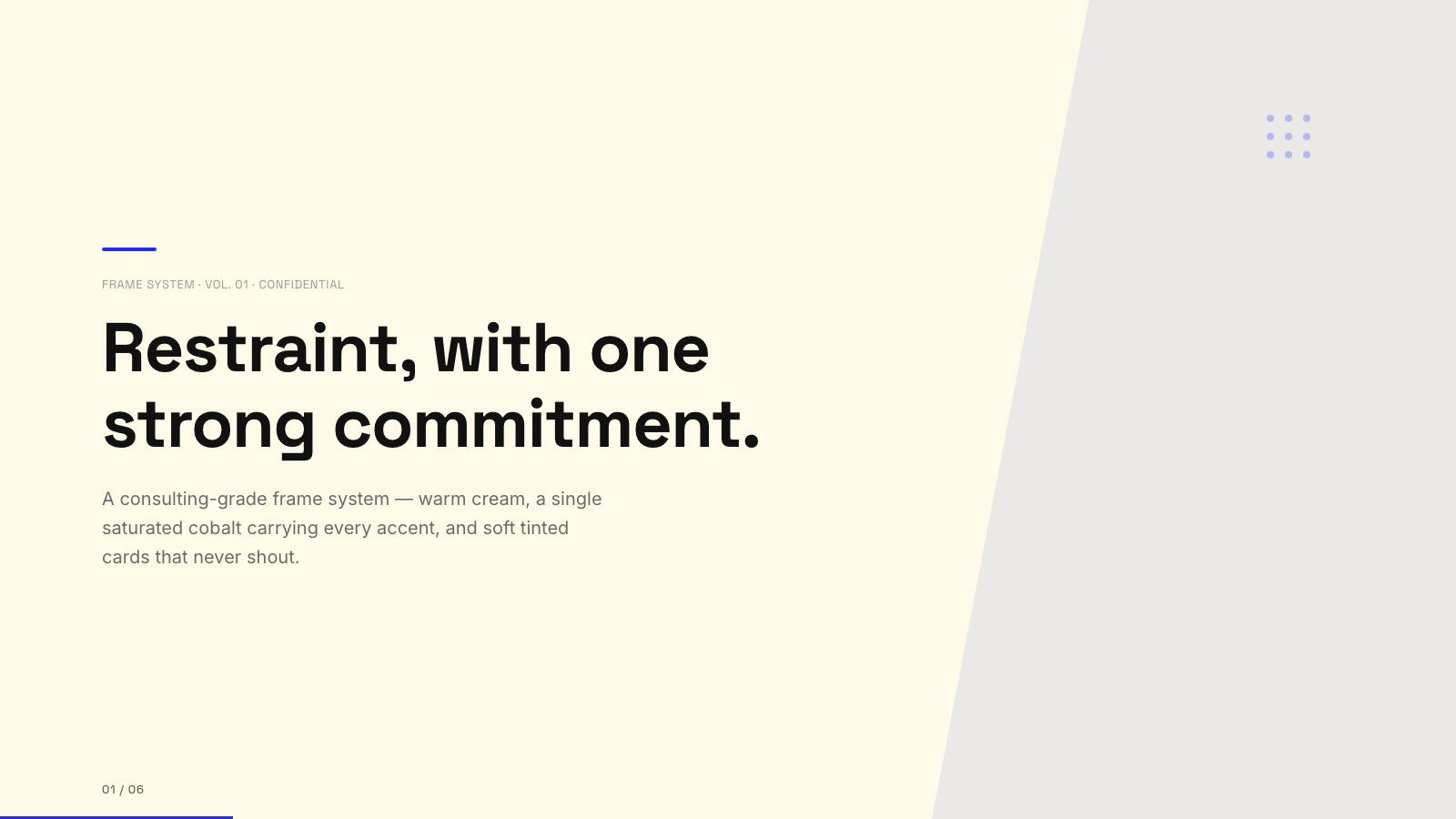
Blue Professional |

Bold Poster |
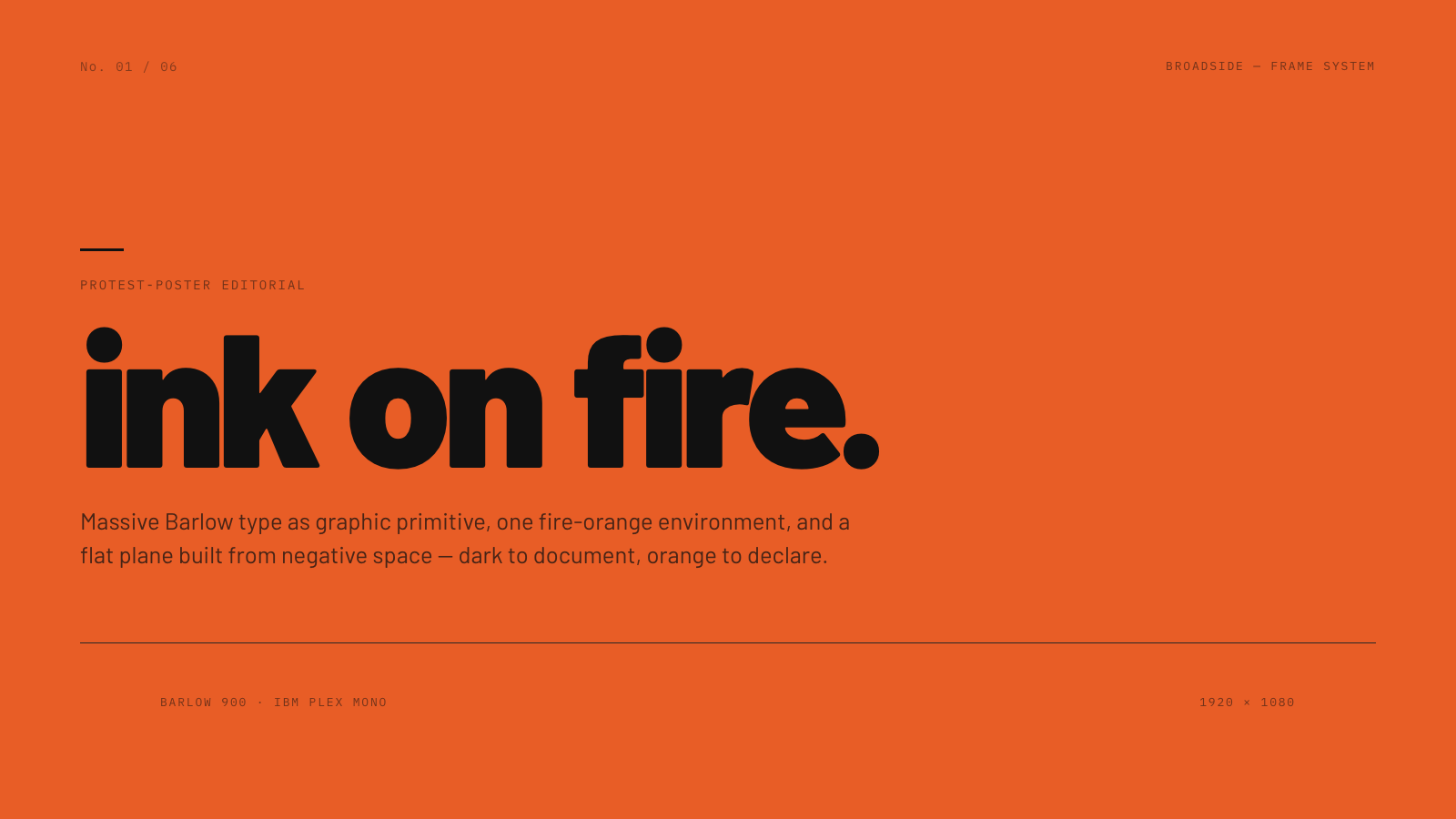
Broadside |
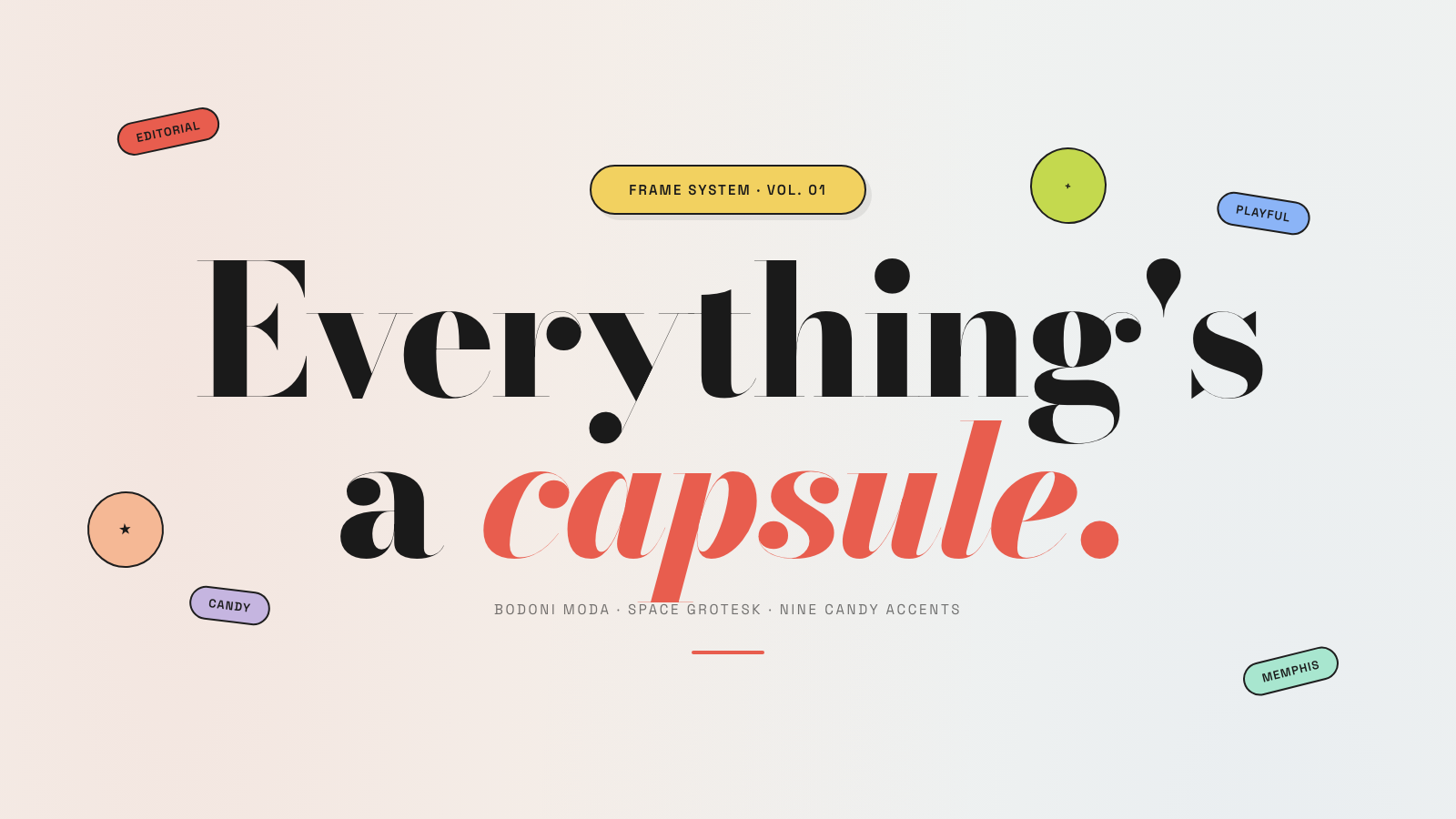
Capsule |
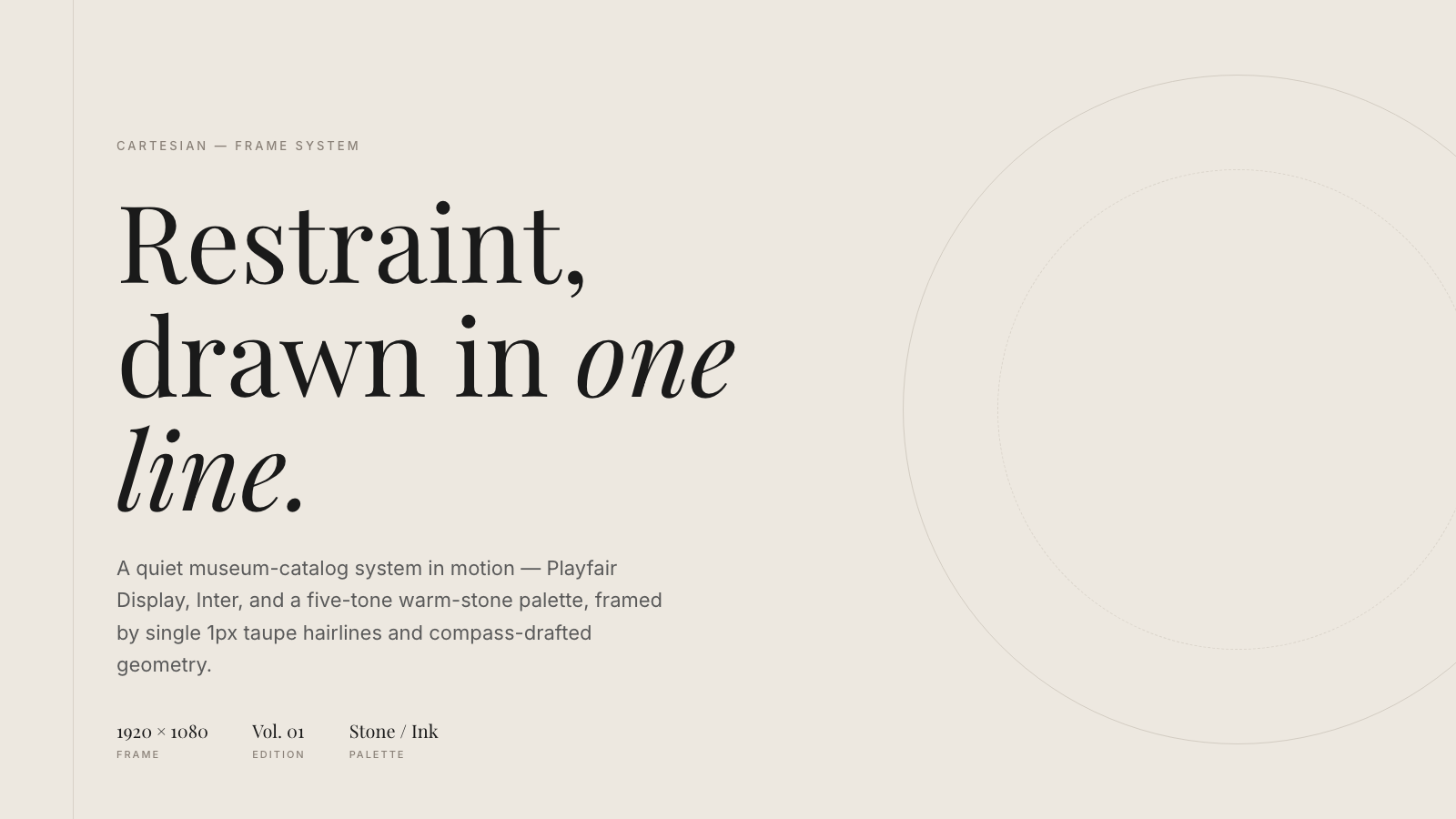
Cartesian |
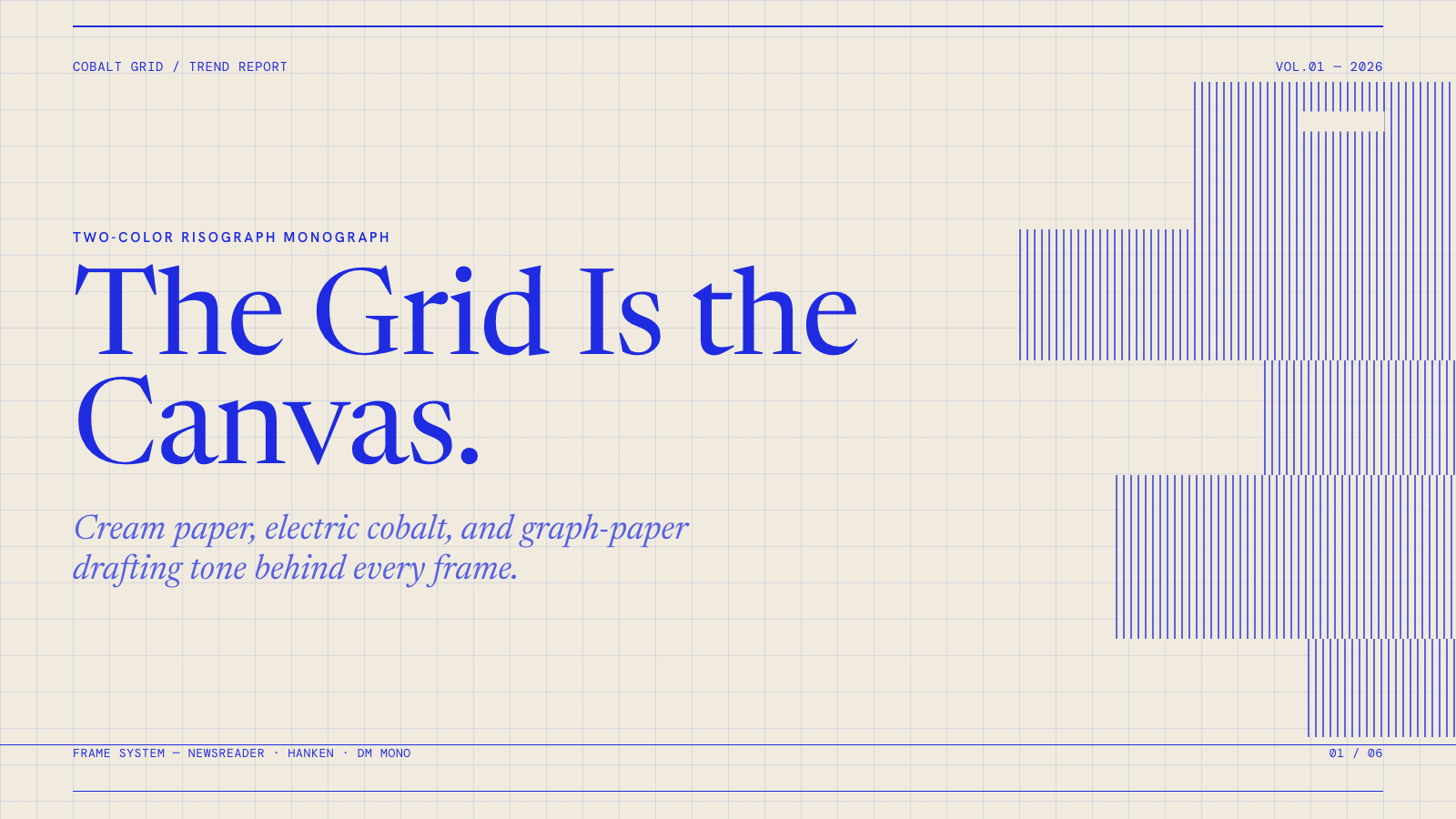
Cobalt Grid |

Coral |
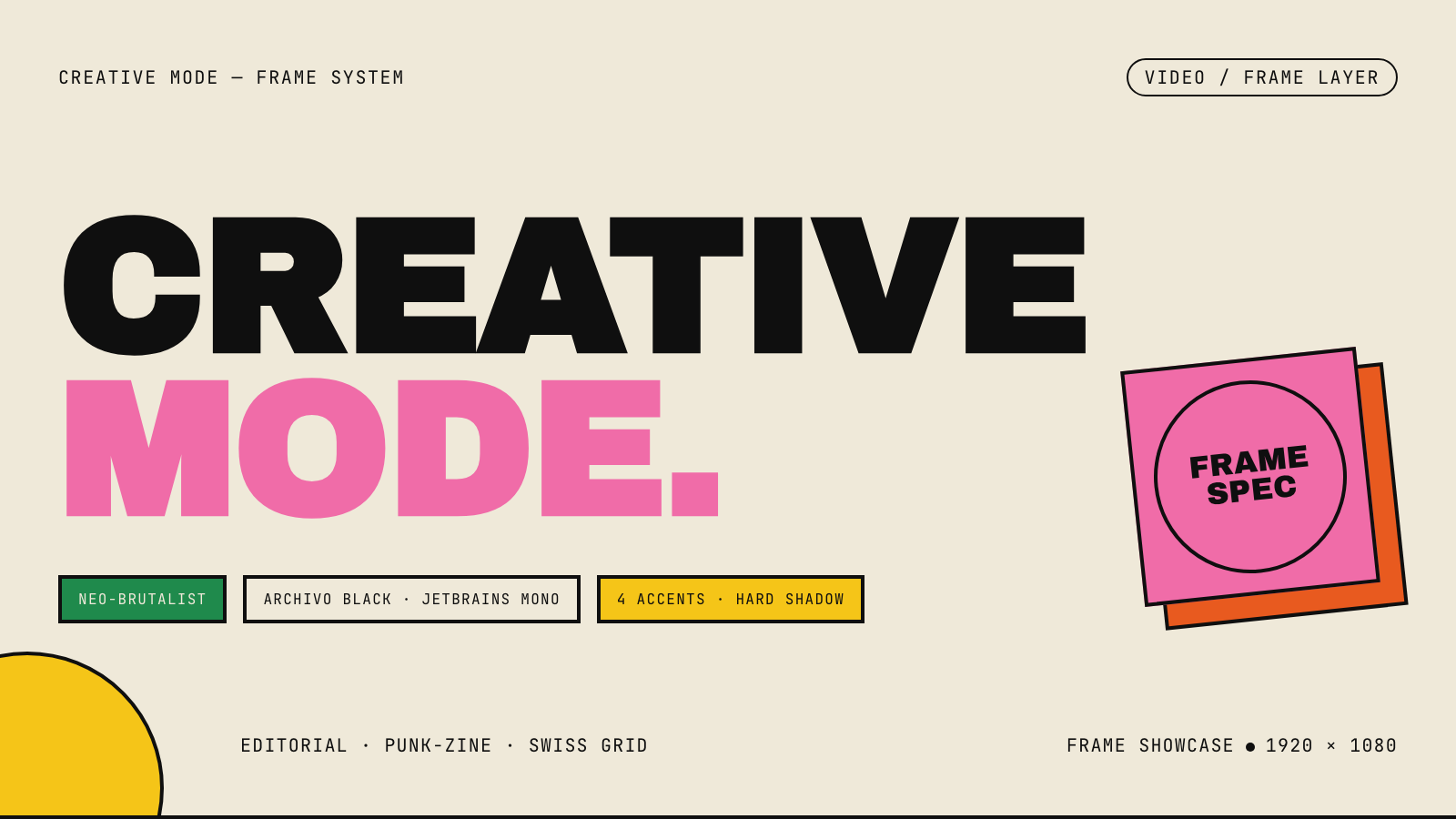
Creative Mode |
Browse and remix them all at hyperframes.dev/design.
How It Works
Define a video as HTML. Add data attributes for timing and tracks. Use GSAP, CSS, Lottie, Three.js, Anime.js, WAAPI, or your own frame adapter for seekable animation.
<div id="stage" data-composition-id="launch" data-start="0" data-width="1920" data-height="1080">
  <video
    class="clip"
    data-start="0"
    data-duration="6"
    data-track-index="0"
    src="intro.mp4"
    muted
    playsinline
  ></video>

  <h1 id="title" class="clip" data-start="1" data-duration="4" data-track-index="1">Launch day</h1>

  <audio
    data-start="0"
    data-duration="6"
    data-track-index="2"
    data-volume="0.5"
    src="music.wav"
  ></audio>

  <script src="https://cdn.jsdelivr.net/npm/gsap@3/dist/gsap.min.js"></script>
  <script>
    const tl = gsap.timeline({ paused: true });
    tl.from("#title", { opacity: 0, y: 40, duration: 0.8 }, 1);
    window.__timelines = window.__timelines || {};
    window.__timelines.launch = tl;
  </script>
</div>
Preview instantly in the browser. Render locally or in Docker. The renderer seeks each frame in headless Chrome and encodes the result with FFmpeg, so the same input produces the same video.
HyperFrames Stack
HyperFrames is the open-source rendering engine, plus a growing set of tools around HTML-native video creation.
| Piece | Status | What it does |
|---|---|---|
| CLI | Available | Scaffold, preview, lint, inspect, and render local video projects |
| Core / Engine / Producer | Available | Parse compositions, drive headless Chrome, encode video, and mix audio |
| Catalog | Available | Reusable blocks and components for transitions, overlays, captions, charts, maps, and effects |
| Agent skills | Available | Teach coding agents the video-production patterns that generic web docs miss |
| Studio | Available, evolving | Browser surface for previewing and editing compositions |
| AWS Lambda rendering | Available | Deploy a distributed render stack and drive renders from your laptop or CI |
| hyperframes.dev | Available | Community playground for previewing, iterating, sharing, and rendering HTML-native video projects |
| frame.md | Available | Invert your design system for the camera — a DESIGN.md superset an agent can compose video from |
Catalog
Install ready-to-use blocks and components:
npx hyperframes add flash-through-white   # shader transition
npx hyperframes add instagram-follow      # social overlay
npx hyperframes add data-chart            # animated chart
Browse the catalog at hyperframes.heygen.com/catalog.
Why HyperFrames?
- HTML-native: compositions are HTML files with data attributes. No React requirement, no proprietary timeline format.
- Agent-friendly: agents already write HTML, and the CLI is non-interactive by default.
- Deterministic: same input, same frames, same output. Built for CI, regression tests, and automated rendering.
- No build step: an
index.htmlcomposition plays as-is and can be previewed directly in the browser. - Adapter-based animation: bring GSAP, CSS animations, Lottie, Three.js, Anime.js, WAAPI, or a custom runtime.
- Open source: Apache 2.0 license, with no per-render fees or commercial-use thresholds.
HyperFrames vs Remotion
HyperFrames is inspired by Remotion. Both tools render video with headless Chrome and FFmpeg. The main difference is the authoring model: Remotion's bet is React components; HyperFrames' bet is plain HTML that humans and agents can both write easily.
| HyperFrames | Remotion | |
|---|---|---|
| Authoring | HTML + CSS + seekable animation | React components |
| Build step | None; index.html plays as-is |
Bundler required |
| Agent handoff | Plain HTML files | JSX / React project |
| Library-clock animations | Seekable, frame-accurate via adapters | Wall-clock animation patterns need care |
| Distributed rendering | Local and AWS Lambda render paths | Remotion Lambda, mature cloud renderer |
| License | Apache 2.0 | Source-available Remotion License |
Read the full comparison in the HyperFrames vs Remotion guide.
Documentation
Full documentation: hyperframes.heygen.com/introduction
Packages
| Package | Description |
|---|---|
hyperframes |
CLI for creating, previewing, linting, and rendering compositions |
@hyperframes/core |
Types, parsers, generators, linter, runtime, and frame adapters |
@hyperframes/engine |
Seekable page-to-video capture engine using Puppeteer and FFmpeg |
@hyperframes/producer |
Full rendering pipeline for capture, encode, and audio mix |
@hyperframes/studio |
Browser-based composition editor UI |
@hyperframes/player |
Embeddable <hyperframes-player> web component |
@hyperframes/shader-transitions |
WebGL shader transitions for compositions |
@hyperframes/aws-lambda |
AWS Lambda SDK and deployment surface for distributed renders |
Community
HyperFrames is used in production at HeyGen, with community examples from teams like tldraw, TanStack, and others in ADOPTERS.md. Open a PR if your team is using HyperFrames.
- Questions and ideas: Discord
- Bugs and feature requests: GitHub Issues
- Security reports: SECURITY.md
- Contributions: CONTRIBUTING.md
Development Note
The repo uses Git LFS for golden regression-test baselines under packages/producer/tests/**/output.mp4 (about 240 MB of .mp4 files). If you're cloning the full repo for development, install Git LFS first:
# macOS
brew install git-lfs

# Ubuntu / Debian
sudo apt install git-lfs

# Windows
winget install GitHub.GitLFS

# Then, once per machine
git lfs install
If you only need source files, you can skip LFS content:
GIT_LFS_SKIP_SMUDGE=1 git clone https://github.com/heygen-com/hyperframes.git