 Miguel Ángel
37ac138041
* feat(studio): draggable 3D-transform cube in the design panel

Add a Figma-style draggable cube to the 3D Transform section so users can set an
element's 3D orientation by dragging instead of typing degrees. Drag tilts the
element (rotationX/Y); Shift-drag rolls it (rotationZ); a recenter button resets
the 3D transform to identity. The cube previews the orientation live and commits
on release.

It's an input affordance over the existing keyframe-aware commit path
(commitAnimatedProperty) — a drag at the playhead writes/updates keyframes just
like the numeric fields, no new mutation infra.

- transform3dProjection.ts: pure unit-cube projection with back-face culling and
  painter ordering (no 3D dependency), unit-tested.
- Transform3DCube.tsx: the SVG drag widget (pointer-capture, draft→commit).
- Surface the two missing numeric fields (RotZ, Perspective). Perspective drives
  the new editable `transformPerspective` prop (per-element depth) rather than
  CSS `perspective` (which only affects children).

* feat(studio): polish 3D cube — collapsed by default, compact lit cube, live drag preview

Address review of the first cut:
- 3D Transform section is now collapsible and collapsed by default (it was tall
  and ate panel space).
- Redesign the cube: compact and centered (was full-width), resting isometric
  camera so it reads as a 3D cube at identity instead of a flat square,
  directional per-face lighting, gradient backdrop + grounding shadow.
- Live element preview while dragging: onLivePreviewProps gsap.sets the live
  transform on the preview element so it moves WITH the cube; release still
  commits via the keyframe-aware path.
- Extract Cube3dControl to keep the panel component under the complexity gate.

* fix(studio): persist static 3D transform + refine cube edges

The cube (and the RotX/RotY numeric fields) didn't stick on an element whose
only tween is a position 'set' — commitAnimatedProperty tried to convert the
zero-duration hold into keyframes, so the rotation was never written and the
cube snapped back. Handle the static-set case: merge the property into the set
(update-property) so a static 3D rotation/perspective persists, and the cube
reads it back from runtime.

Also refine the cube rendering: muted teal lit faces with edges that brighten
with how front-facing each face is (crisp bevels, not flat neon outlines), a
soft halo glow, and a stronger grounding shadow.

* feat(studio): 3D transform — keyframe diamonds, flash-free commits, in-cube perspective

- Keyframe diamonds: RotX/RotY/RotZ + Perspective (and Z/Scale) now each carry a
  KeyframeNavigation diamond, so 3D transforms can be keyframed like Layout X/Y.
  Refactored the six fields onto a shared Transform3dField.
- Flash-free: static-set 3D commits now use instantPatch (in-place runtime patch,
  no soft reload), and the set fast-path was widened to the 3D channels
  (rotationX/Y/Z, z, transformPerspective) — dragging the cube / scrubbing a 3D
  field no longer flashes.
- In-cube perspective: a Persp slider lives in the cube widget and the cube's
  foreshortening reflects transformPerspective live.

* feat(studio): 3D cube X/Y/Z axis gizmo + gated flash-diagnostic logs

- Axis gizmo: render the rotated X (red) / Y (green) / Z (blue) vectors from the
  cube center — away-facing axes dimmed behind the cube, toward-facing on top
  with a tip dot + label — so orientation is readable at a glance.
- Flash diagnostics: add a gated, JSON-stringified [hf-3d:*] logger (on in dev or
  via window.__hfDebug). Instruments the commit path (which branch + picked
  tween), the cube pose/axis commits, and — the key signal — applyPreviewSync's
  instant-patch-vs-soft-reload decision (a soft reload IS the flash). Reproduce
  with the console open to pinpoint any remaining flash to a specific commit.

* fix(studio): make the 3D cube mirror the element's orientation 1:1

The resting isometric camera made the cube always look tilted, so at rotation
0/0/0 the cube showed a 3D pose while the element was flat — the cube didn't
represent the element. Drop the decorative camera (VIEW_RX/RY = 0): the cube now
faces front at identity, exactly matching the un-rotated element, and tilts to
match as the element rotates. The X/Y/Z axis gizmo keeps the flat-at-rest state
readable.

Flash status (from the gated [hf-3d:*] logs): every commit now reports
'instant (no flash)' via instantPatch — the soft-reload flashes are resolved.

* fix(studio): stop design-panel flicker — read transform channels live

Each 3D commit bumps the gsap cache; the panel then re-read runtime values, but
readGsapRuntimeValuesForPanel only included props already present in the parsed
gsapAnimations. A just-set rotationX isn't in the parse yet, so for that window
the cube + fields dropped it and flickered to 0. Always read the core transform
channels (x/y/rotation/rotationX/Y/Z/z/scale/transformPerspective/opacity)
directly via gsap.getProperty — which reflects the in-place instant patch — so
the panel shows the true current value with no flicker.

* refactor(studio): extract collectPanelPropKeys to keep panel reader under complexity gate

* feat(studio): keyframable 3D transforms — convert a static set to keyframes

The cube/3D fields stored rotation as a static 'set', and convert-to-keyframes
flatly refused to convert a set (gsapParser.ts) — so two 3D 'keyframes' just
overwrote the same static value with no interpolation.

Now a set converts to an animatable to(): resolveConversionProps emits both
endpoints from the set's value (visual unchanged until edited), and both writers
flip set→to, drop the immediateRender hold, and add a duration. The element's
clip duration is threaded through the convert chain (3D field → handler →
convertToKeyframes → route → parser) so the keyframes span the whole clip and
land in range at any playhead. Click a 3D field's diamond to convert, then edit
at different playheads to animate. Acorn writer mirrored; recast round-trip test
added.

* feat(studio): keyframe toggle on the 3D cube

The cube had no keyframe affordance, so dragging it only ever wrote the static
set (logs showed every rotation commit as path:static-set) and nothing
interpolated — converting required clicking a numeric field's diamond, which
isn't discoverable while driving the cube.

Add a keyframe diamond button to the cube widget: it converts the 3D
('other'-group) static set to keyframes spanning the element's clip, and lights
up when the transform is already keyframed. Once keyframed, cube drags + numeric
edits add keyframes at the playhead and the 3D rotation interpolates.

* feat(studio): auto-keyframe 3D transforms on animated elements + stop AssetsTab 404 loop

3D transforms now auto-keyframe like drag/resize/rotate: when the element is
already animated (its clip has keyframes), editing a 3D prop converts the static
set to keyframes so edits at other playheads interpolate — no manual keyframe
toggle needed. Purely static elements still write a static set (and the cube's
keyframe button remains a manual opt-in for them).

Also fix the AssetsTab media-manifest fetch: it was keyed on the assets array
reference (new each render) so it re-fetched the (usually missing) manifest on
every re-render — spamming 404s and churning the left sidebar during cube drags.
Key on a stable join and cache the 404 so a missing manifest is fetched once.

* fix(studio): cube writes one keyframe per drag (no duplicate keyframes)

The cube committed rotationX/Y/Z as separate add-keyframe mutations; the first
axis's auto-keyframe convert shifted the tween so the second axis computed a
slightly different percentage → two adjacent keyframes instead of one.

Add a batched commitAnimatedProperties that writes all changed props into ONE
keyframe, and route the cube through it (commitAnimatedProperty is now a thin
single-prop wrapper). Threaded through the panel chain; numeric fields keep the
single-prop path. Set-path and keyframe-path extracted to helpers to stay under
the complexity gate.

* refactor(studio): extract AudioRow from AssetsTab to satisfy file-size check

The manifest-404 fix touched AssetsTab.tsx, which was already over the 600-line
cap (702). Move the self-contained AudioRow sub-component to its own file,
bringing AssetsTab to 493 lines.

* fix(studio): self-heal stale animationId on 3D property commit

A 3D property edit (cube drag / field) picks its target from the panel's
selectedGsapAnimations cache. When keyframes were just removed or the script
changed underneath, that id is gone server-side and the commit POST 404s
('animation not found'). The raw commitMutation already toasts but rethrows,
so the rejection escaped as an uncaught promise. Catch it in
commitAnimatedProperties and bump the cache so the panel re-syncs and the
next edit self-heals.

* fix(studio): batch the 3D reset into one commit (was six flashes)

Reset 3D orientation looped six props (rotationX/Y/Z, z, scale,
transformPerspective) through the single-property commit, so one click
triggered six separate soft-reloads — six preview flashes. Batch them into
one onCommitAnimatedProperties call (one keyframe, one reload), matching the
cube-drag path.

* fix(studio): 3D-edit a static element writes a set, not keyframes

Editing the 3D transform of an element with no keyframes created a keyframed
tween (Case 3 made a tl.to() + convert, a flat tween converted to keyframes).
A static element should stay static — same as manual drag / resize / rotate,
which tl.set() it. Route no-keyframe elements to a set: update an existing one
in place, or create a dedicated tl.set carrying all axes in ONE add mutation.
The single mutation also avoids the per-axis id race (a flat tween's
group-derived id shifts after the first prop, 404-ing the next and polluting
an unrelated tween).

* feat(studio): instant 3D keyframe edits via in-place tween rebuild

Dragging the cube on an animated element soft-reloaded the iframe on every
edit (a flash). GSAP compiles object-form keyframes ({ "0%": {...} }) into
sub-tweens at creation and ignores later vars.keyframes mutations, so the value
can't be patched the way a tl.set can. Instead REBUILD the tween in place: kill
it and recreate it on the same parent timeline at the same position with the
edited keyframe merged and all other vars preserved, then re-seek — no iframe
reload, no flash. Resolution is now channel-aware for keyframe tweens too, so a
rotation edit lands on the rotation tween, never a co-located position tween.
Declines (→ soft reload) for array-form, motionPath, or dynamic values.

* feat(studio): static 3D transform persists as off-timeline gsap.set (no 0% keyframe)

Adjusting a 3D transform on an element with no keyframes created a
tl.set(...,0), which the timeline renders as a 0% keyframe diamond — even
though it's a static hold, not animated. Persist a newly-created static 3D
hold as a base gsap.set(...) instead: it runs immediately, sits OFF the
timeline, and shows no keyframe marker (matching the manual-drag UX).

- Model: GsapAnimation.global marks a base gsap.set vs an on-timeline tl.set.
- Parser (recast + acorn): parse a STRING-LITERAL gsap.set("#sel", {...}) as an
  editable global set so it round-trips and re-edits in place; variable-target
  gsap.set(el, ...) holds stay opaque surrounding source (unchanged).
- Serializer + writers: emit gsap.set(sel, props) (no timeline var, no position)
  when global; in-place updates keep it a gsap.set.
- add mutation gains global; commitStaticSet sends it when creating a holder.

* fix(studio): static manual drag persists as off-timeline gsap.set, instant (no flash/diamond)

After keyframes are removed, manually dragging a now-static element wrote a
tl.set(...,0) — an on-timeline hold that shows a 0% keyframe diamond and
soft-reloaded on the first nudge (a flash/teleport between the overlay and the
committed position). Make the static position/rotation drag persist as a base
gsap.set (off-timeline, no marker), like the 3D path.

A gsap.set has no runtime tween to patch, so add a 'global-set' instant-patch
that applies the value straight to the element (gsap.set(el, props)) — the
element is static on these channels, so it reflects instantly with no soft
reload. Existing tl.set holds keep the tween 'set' patch; only global sets use
global-set. Create now carries the instant patch too, so the first nudge is
flash-free.

* fix(studio): a base gsap.set shows no keyframe diamond (timeline + panel)

A base gsap.set is parsed as an editable set (for idempotent re-edits), but
synthesizeFlatTweenKeyframes turned it into a synthetic 0% keyframe, so the
timeline track and the panel field showed a phantom keyframe diamond for a
static, non-animated value. Return null for a global set so it contributes no
keyframes — it's an off-timeline static hold, not a keyframe.

* fix(studio): a static set never shows a keyframe diamond (timeline + panel)

A set (gsap.set OR tl.set) is a static hold — a value applied at one point,
not an animated keyframe — so it must not synthesize a phantom keyframe. The
prior fix only skipped GLOBAL gsap.set; on-timeline tl.set holds (and ones a
split/conversion produced) still showed a diamond. Skip every set, which also
aligns the AST keyframe cache with the runtime scan (it already drops every
zero-duration set).

* fix(studio): batch set-property edits (reset 3D no longer 404s)

Reset 3D fires 6 props (rotationX/Y/Z, z, scale, perspective) at a set;
commitSetProps updated them one at a time. A set's id is GROUP-derived, so the
moment scale lands on a rotation set its id shifts (-other -> mixed), 404-ing
the next prop (perspective never got set). Add an update-properties mutation
(merge many props in one call) and have commitSetProps/commitStaticSet use it —
one round-trip, no mid-loop id shift.

* style(studio): fix format + trim 3D-patch helper complexity

oxfmt the runtime-patch file (the failing Format/Preflight check) and reduce
the complexity of the new helpers: flatten keyframeVarsCarryChannel with .some,
extract finiteNumericProps from applyGlobalSet, suppress the inherently-defensive
rebuildKeyframeTween guard chain.

* chore(studio): remove [hf-3d:*] debug logs (3D transform verified working)

Strip the log3d call sites + the debug3d util now that the 3D transform /
static-set / keyframe-rebuild paths are confirmed working.

* chore(studio): strategic [hf-pos:*] logs for position-commit path audit

Temporary DEV-gated logs to confirm which path each drag takes: single drag →
GSAP code path (single-gsap), multi-select/group drag → DEPRECATED CSS-var path
(group-css, applyStudioPathOffset → --hf-studio-offset), and the single CSS
fallback (single-css). To be removed once group drag is routed through GSAP.

* fix(studio): route multi-select group drag through GSAP code path

Group drag committed positions via the deprecated --hf-studio-offset CSS
var (applyStudioPathOffset) and outright blocked GSAP-animated elements.
Single drag already routes through tryGsapDragIntercept (tl.set /
keyframes / gsap.set); group drag now does the same per element, so a
multi-select move writes real GSAP code with no CSS-var fallback. Removed
the now-dead CSS group commit.

* feat(studio): live candidate highlight while marquee-selecting

The marquee only revealed what it selected on mouse-up, so it was easy to
grab too much or too little. Now each element the marquee box currently
intersects is outlined live (studio-accent) as you drag, before release —
so you can see the selection forming. Shares one synchronous OBB/SAT
intersection pass between the live highlight and the commit; the async
source-probe still runs only once, on mouse-up.

* chore(studio): remove temporary [hf-pos:*] position-path debug logs

Investigation done — group drag now routes through the GSAP code path, so
the CSS-vs-GSAP path-audit scaffolding (logPos / debugPos) is no longer
needed. Removes the util and its imports/calls.

* fix(studio): marquee selects/highlights elements at their real positions

The marquee derived element boxes from elementObbCorners, whose
non-identity-transform branch reconstructed the box from offsetLeft/offsetTop
plus the element's own transform matrix — ignoring the matrix translate
(m.e/m.f) and any ancestor transforms. Mid-GSAP-animation (elements carry a
translate() transform), that put boxes at their pre-translate layout
position, so the marquee highlighted/selected the wrong elements vs. the
box shown when you click an element directly.

Route the marquee through the same toOverlayRect basis the selection and
group boxes use (a getBoundingClientRect-based AABB). Now highlight ==
selection-commit == the click-selection box, at the element's real on-screen
position. Drops the buggy OBB/SAT path (elementObbCorners,
marqueeIntersectsObb); AABB matches the selection box, which never rotated.

Adds dev-only [hf-marquee:*] tracing (per-element rect + intersect + skip
reason, JSON) to debug what the marquee sees; stripped from prod builds.

* fix(studio): off-canvas elements no longer render a selection-style border

OffCanvasIndicators drew two layers per partly-off-screen element: a dashed
sliver on the protruding part, plus a solid studio-accent border (with the
selection box-shadow) over the on-canvas portion. That solid border only
ever draws for UNSELECTED elements (selected ones get a real selection box
via the filter), so an unselected off-canvas element looked selected.
Removed the solid inside layer — the dashed protruding sliver stays as the
off-canvas hint.

* chore(studio): remove [hf-marquee:*] debug logs

Marquee position fix is verified; strip the dev-only tracing scaffolding
(logMarquee/debugLabel/debug param) back to the lean intersection loop.

* fix(studio): convert a global gsap.set to a seekable timeline tween + review cleanups

Primary fix: converting a global `gsap.set` to keyframes flipped only the
method (set->to), leaving the callee object `gsap` — emitting `gsap.to(...)`,
an off-timeline tween that fires once at load and isn't on the paused master
`window.__timelines` (the engine can't seek/render it). Reachable from the
cube's keyframe toggle + maybeAutoKeyframeSet on the global sets commitStaticSet
creates. Now re-roots onto the timeline var and adds the position arg, in both
the recast and acorn writers; covered by a convert test seeded from gsap.set in
each path.

Review cleanups: drop dead confirmDelete/<DeleteConfirm> in AudioRow; drop the
always-zero viewRx/viewRy camera params from the 3D projection; un-export four
internal-only symbols (clears fallow unused-exports); re-add the collectMarqueeHits
complexity suppression dropped with the debug scaffolding.

* chore(studio): green the CI gate + 3D panel expanded by default

- File-size: extract the marquee/candidate render into MarqueeOverlay so
  DomEditOverlay drops back under the 600-line cap.
- Fallow complexity: suppress the 8 accepted-complexity findings from the 3D/
  runtime work (resolveRuntimeTween, readRuntimeKeyframes, hasNonHoldTweenForElement,
  commitKeyframeProps, scored, ImageCard, selectionShapeStyles, off-canvas effect)
  with the bare directive the linter recognizes.
- 3D transform panel now defaults to expanded (the cube gizmo is the headline).


Write HTML. Render video. Built for agents.
Quickstart | Showcase | Playground | Catalog | Docs | Discord

HyperFrames is an open-source framework for turning HTML, CSS, media, and seekable animations into deterministic MP4 videos. Use it locally with the CLI, from AI coding agents with skills, or as the rendering core behind hosted authoring workflows.
Quick Start
With an AI coding agent
Install the HyperFrames skills, then describe the video you want:
npx skills add heygen-com/hyperframes
Try a prompt like:
Using
/hyperframes, create a 10-second product intro with a fade-in title, a background video, and subtle background music.
The skills teach agents the HyperFrames production loop: plan the video, write valid HTML, wire seekable animations, add media, lint, preview, and render. They work with Claude Code, Cursor, Gemini CLI, Codex, and other coding agents that support skills.
Skills
HyperFrames ships 19 skills agents load on demand. Read /hyperframes first — it's the router and capability map; it picks a workflow for any "make me a video" request and points to the domain skills below.
Run npx skills add heygen-com/hyperframes for the interactive picker, npx skills add heygen-com/hyperframes --all to install all 19 at once (skips the picker), or npx skills add heygen-com/hyperframes --skill <name> for just one (bare name, no leading /).
Router
| Skill | Use when |
|---|---|
/hyperframes |
Read first for any request to make / create / edit / animate / render a video, animation, or motion graphic. Capability map for the domain skills and intent router for the creation workflows below. |
Creation workflows
| Skill | Use when |
|---|---|
/product-launch-video |
Marketing / launching / promoting a product — from its URL, a brief, or a script (even if the site is only named). Up to ~3 min (sweet spot 30-90s). |
/website-to-video |
Turning a general website into a video — site tour, portfolio / landing-page showcase, social clip from the site's own visuals. |
/faceless-explainer |
Explaining a topic / concept from arbitrary text — no product, no URL, no website capture; every visual is LLM-invented (typography / abstract / diagram / data-viz). |
/pr-to-video |
A GitHub pull request (PR URL, owner/repo#N ref, or "this PR") → changelog / feature-reveal / fix / refactor explainer, read via the gh CLI. |
/embedded-captions |
Adding captions / subtitles to an existing talking-head video (footage untouched) — verbatim rail, embedded climax behind the subject, or pure-cinematic embed. |
/talking-head-recut |
Packaging an existing talking-head / interview / podcast video with designed graphic overlays — lower-thirds, data callouts, kinetic titles, pull-quotes, side panels, PiP. |
/motion-graphics |
A short, unnarrated, design-led motion graphic (~under 10s) — kinetic type, stat / chart hit, logo sting, lower-third, animated tweet / headline. MP4 or transparent overlay. |
/music-to-video |
A music track (audio file, or video to pull audio from) → a beat-synced video — lyric, slideshow, or kinetic promo; music drives pacing. |
/slideshow |
A presentation / pitch deck / interactive deck — discrete slides, fragment reveals, branching, hotspot navigation, presenter mode. Output is a navigable deck, not a rendered video. |
/general-video |
Anything else — longer or multi-scene pieces, brand / sizzle reel, title card, static loop, freeform composition. Input- and length-agnostic fallback. |
/remotion-to-hyperframes |
Porting an existing Remotion (React) composition's source to HyperFrames HTML. One-way migration, not creation. |
Domain skills (loaded on demand)
Atomic capabilities the creation workflows compose against — pull one when you need that specific layer.
| Skill | Covers |
|---|---|
/hyperframes-core |
The composition contract — data-* timing attributes, class="clip", tracks, sub-compositions, variables, framework-owned media playback, determinism rules. |
/hyperframes-animation |
All animation knowledge — atomic motion rules, scene blueprints, transitions, runtime adapters (GSAP / Lottie / Three.js / Anime.js / CSS / WAAPI / TypeGPU). |
/hyperframes-creative |
Non-animation creative direction — frame.md / design.md, palettes, typography, narration, beat planning, audio-reactive visuals, composition patterns. |
/hyperframes-media |
Audio + media — TTS voiceover, background music, sound effects, Whisper transcription, background removal, caption authoring (one shared audio engine). |
/media-use |
Resolve any media need (BGM, SFX, image, icon) into a frozen local file + ledger record. One verb (resolve) over the HeyGen catalog with manifest tracking. |
/hyperframes-cli |
CLI dev loop — init, lint, validate, inspect, preview, render, publish, doctor, plus AWS Lambda cloud rendering (lambda deploy / render / progress). |
/hyperframes-registry |
Install and wire registry blocks and components into compositions via hyperframes add. Authoring a new block or component to contribute upstream. |
For visual design handoff workflows, see the Claude Design guide and Open Design guide.
Manually with the CLI
npx hyperframes init my-video
cd my-video
npx hyperframes preview      # preview in browser with live reload
npx hyperframes render       # render to MP4
Requirements: Node.js 22+, FFmpeg
What You Can Build
Need ideas? Browse the Showcase for finished videos you can watch, read, run, and remix.
- Product launch videos and feature announcements
- PR walkthroughs with animated code diffs, narration, and captions
- Data visualizations, chart races, and map animations
- Social videos with kinetic captions, overlays, and music
- Docs-to-video, PDF-to-video, and website-to-video explainers
- Reusable motion graphics for automated content pipelines
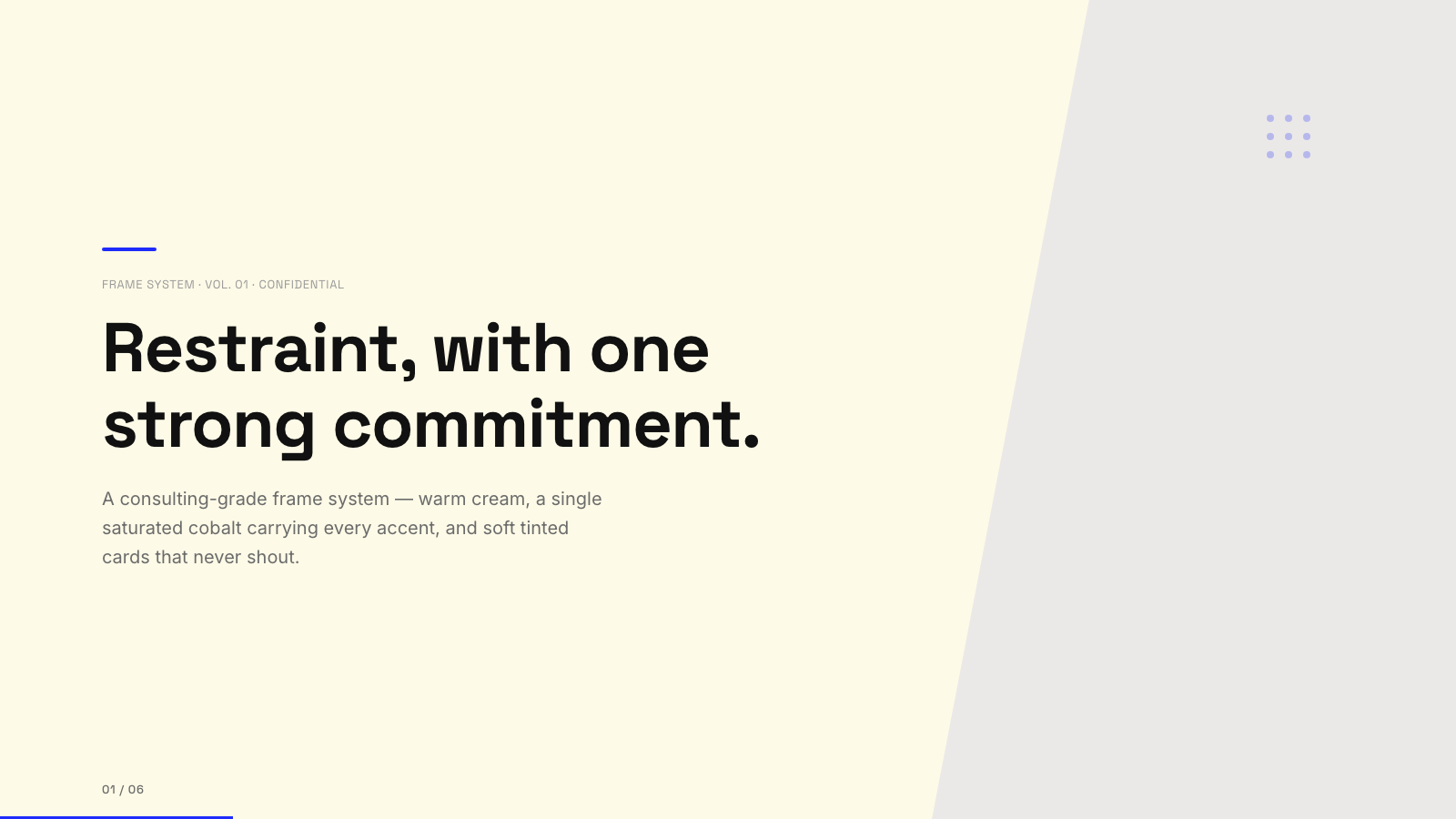
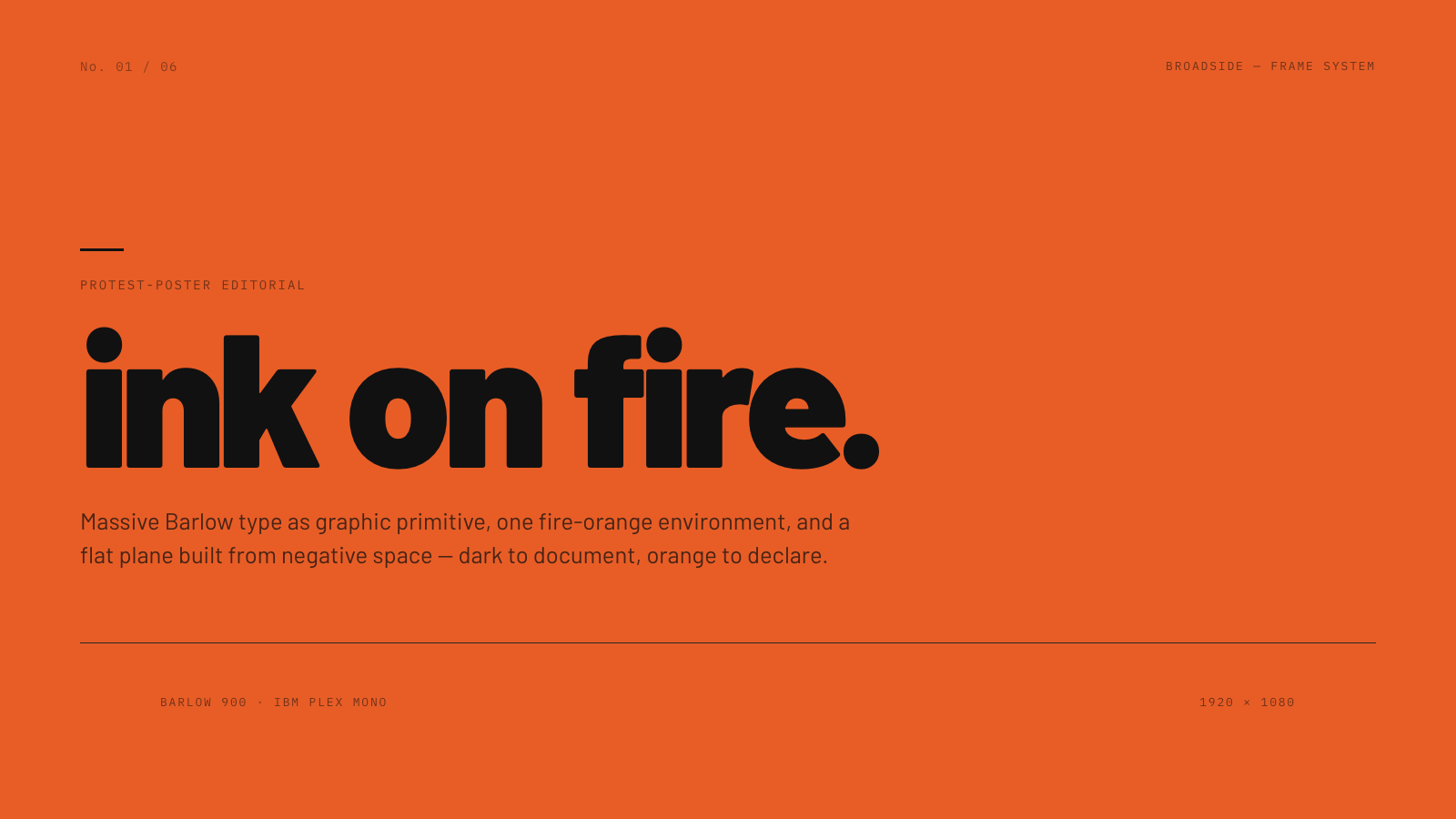
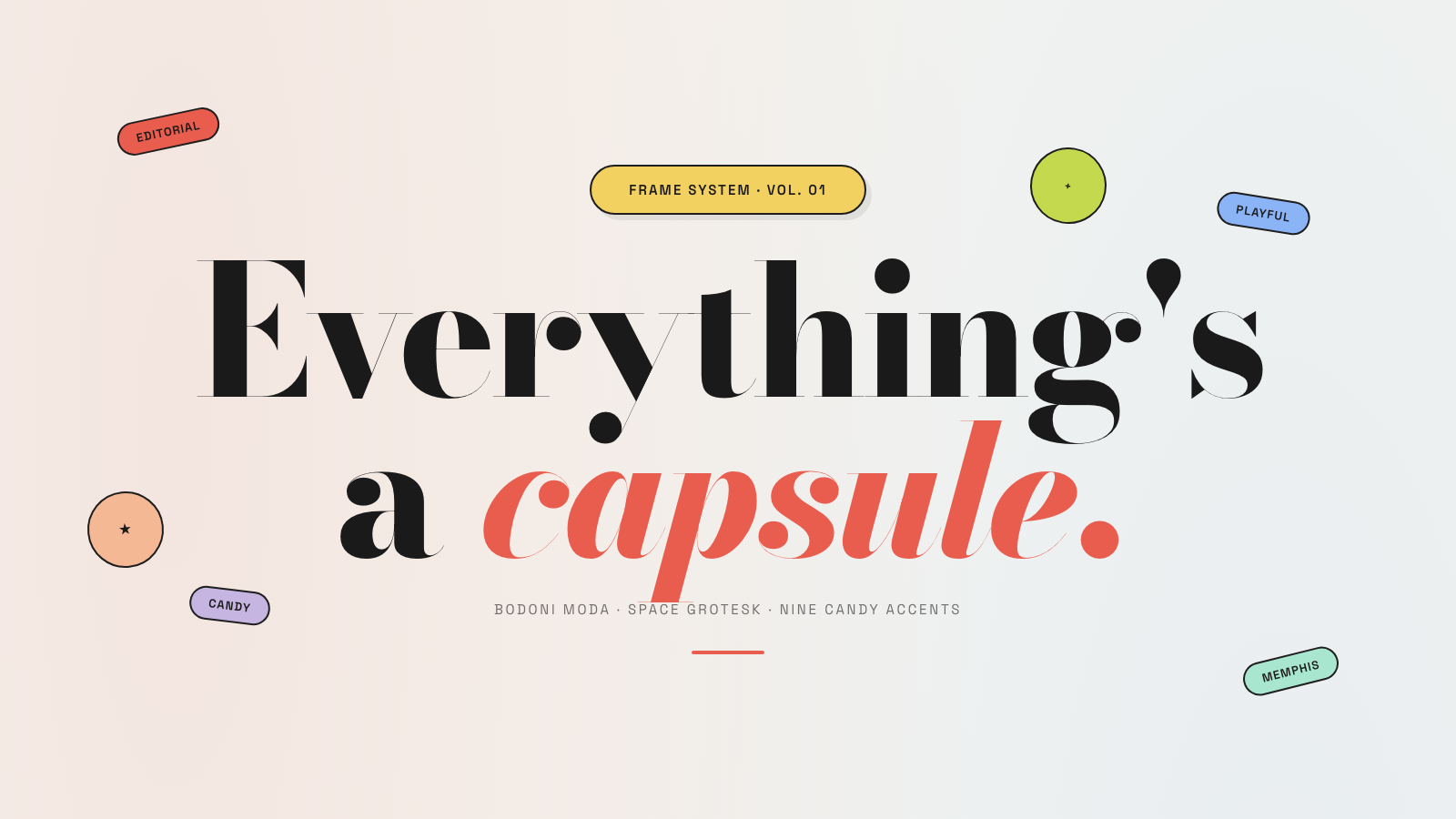
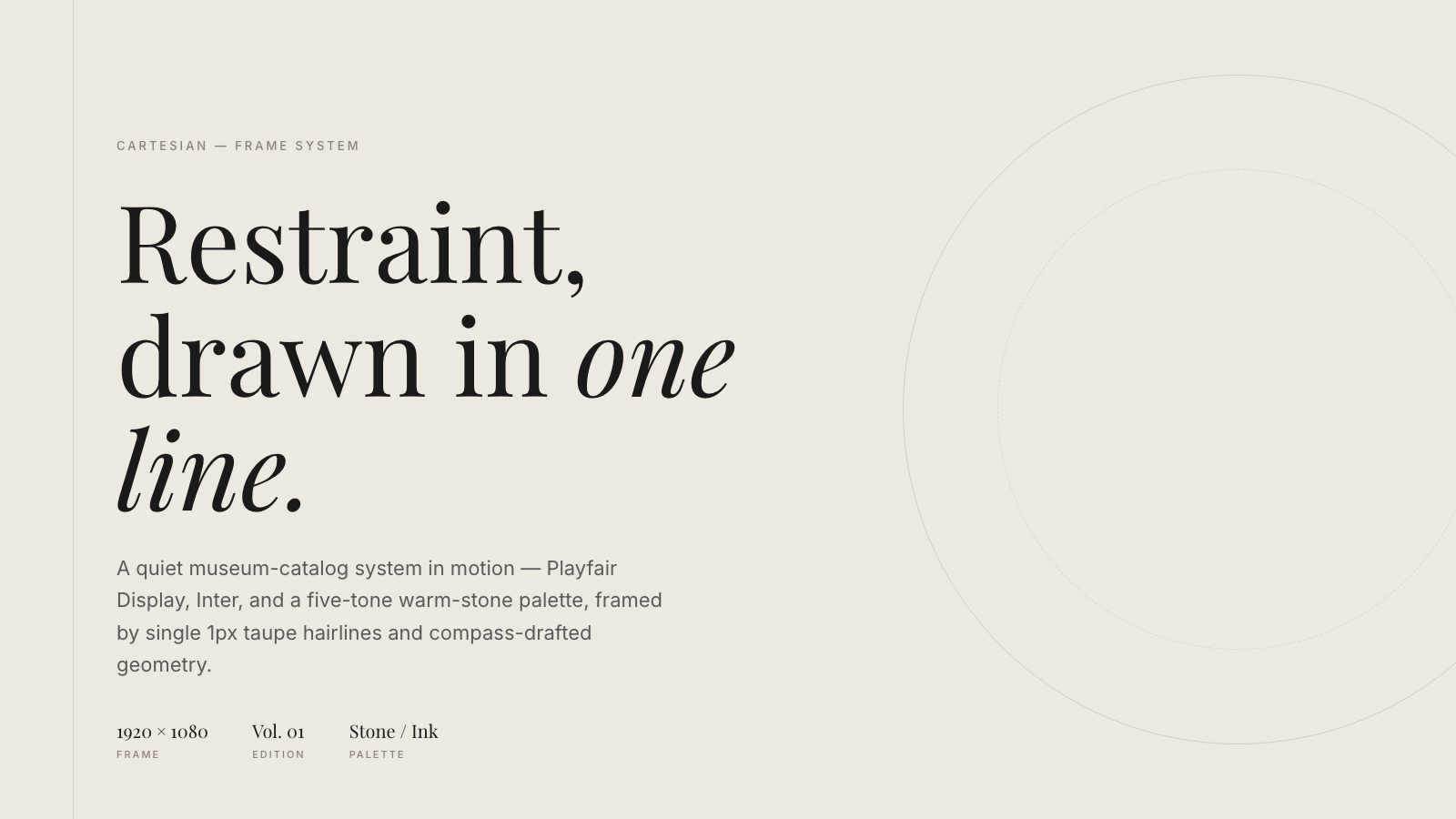
Frame.md
frame.md — your design system, ready for video.
Every brand has a design.md. None of them were written for a camera. frame.md is the missing translation layer: it takes your web-context design spec and inverts it for the frame — the same tokens, the same rules, but rewritten so an AI agent can compose a promo video without guessing at scale or reaching for web chrome.
The output is a DESIGN.md superset your whole toolchain can read. Atoms stay sacred. Composition stays free. Numbers come from the script.

Biennale Yellow |

BlockFrame |
Blue Professional |

Bold Poster |
Broadside |
Capsule |
Cartesian |
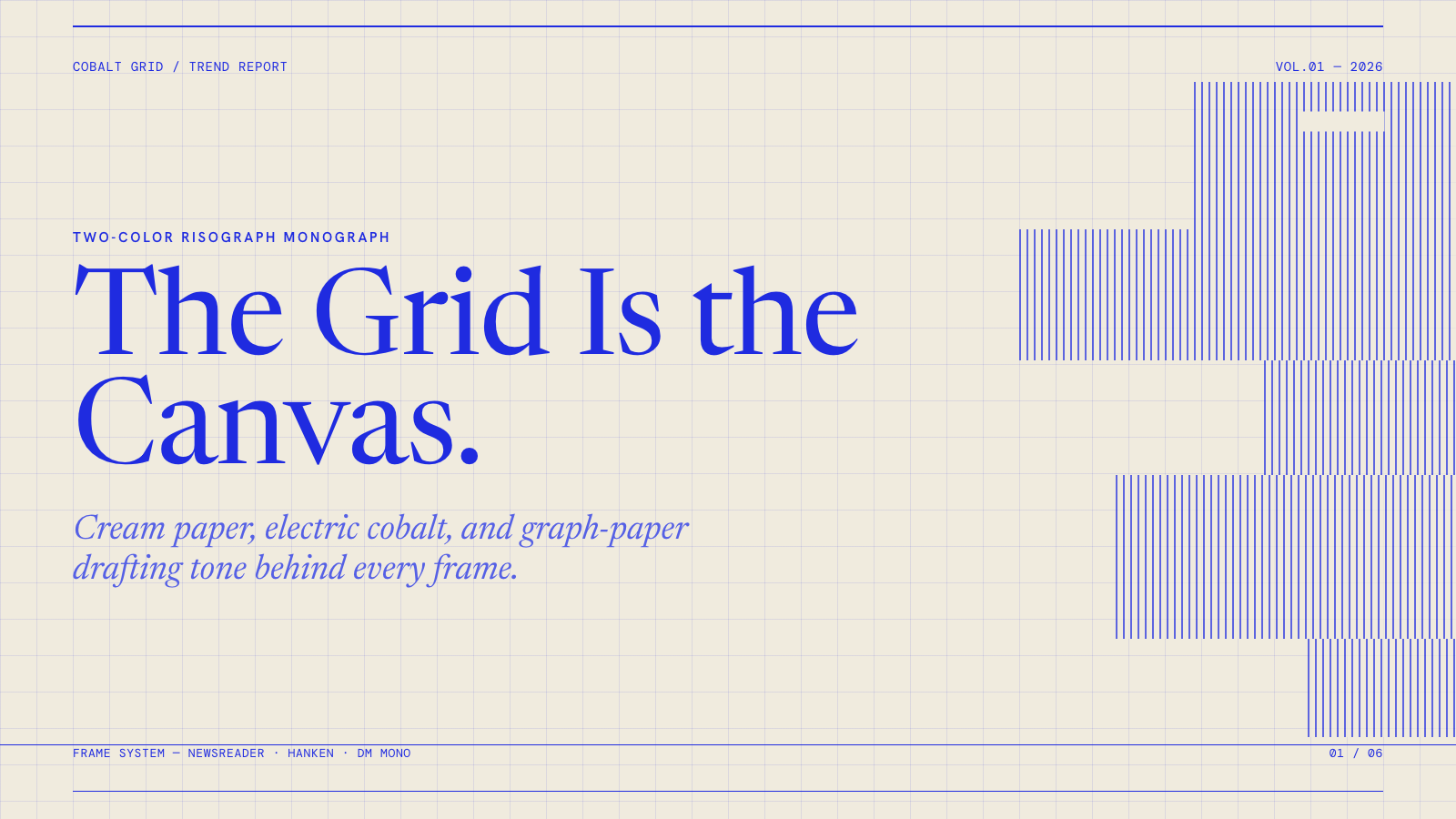
Cobalt Grid |
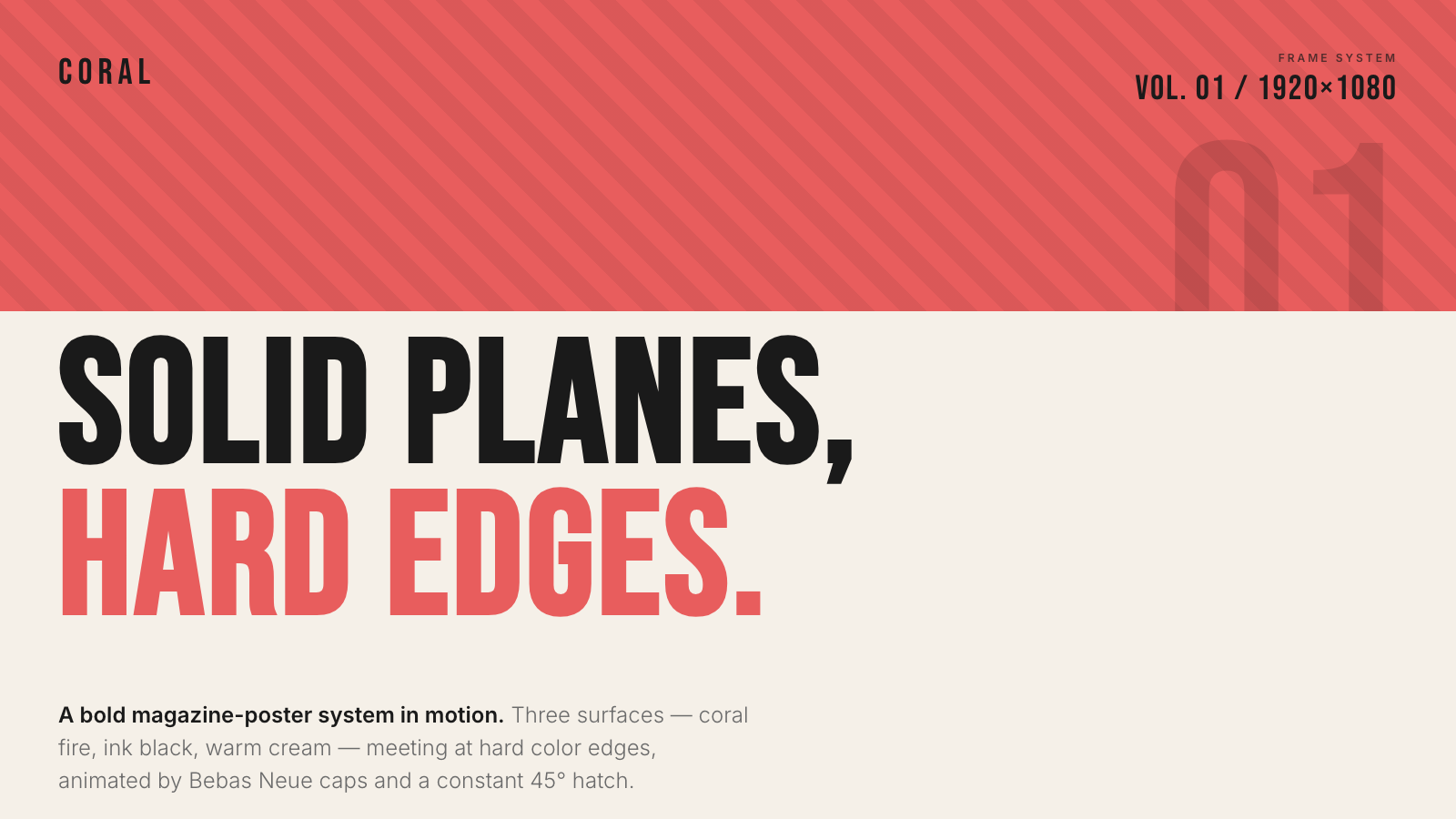
Coral |
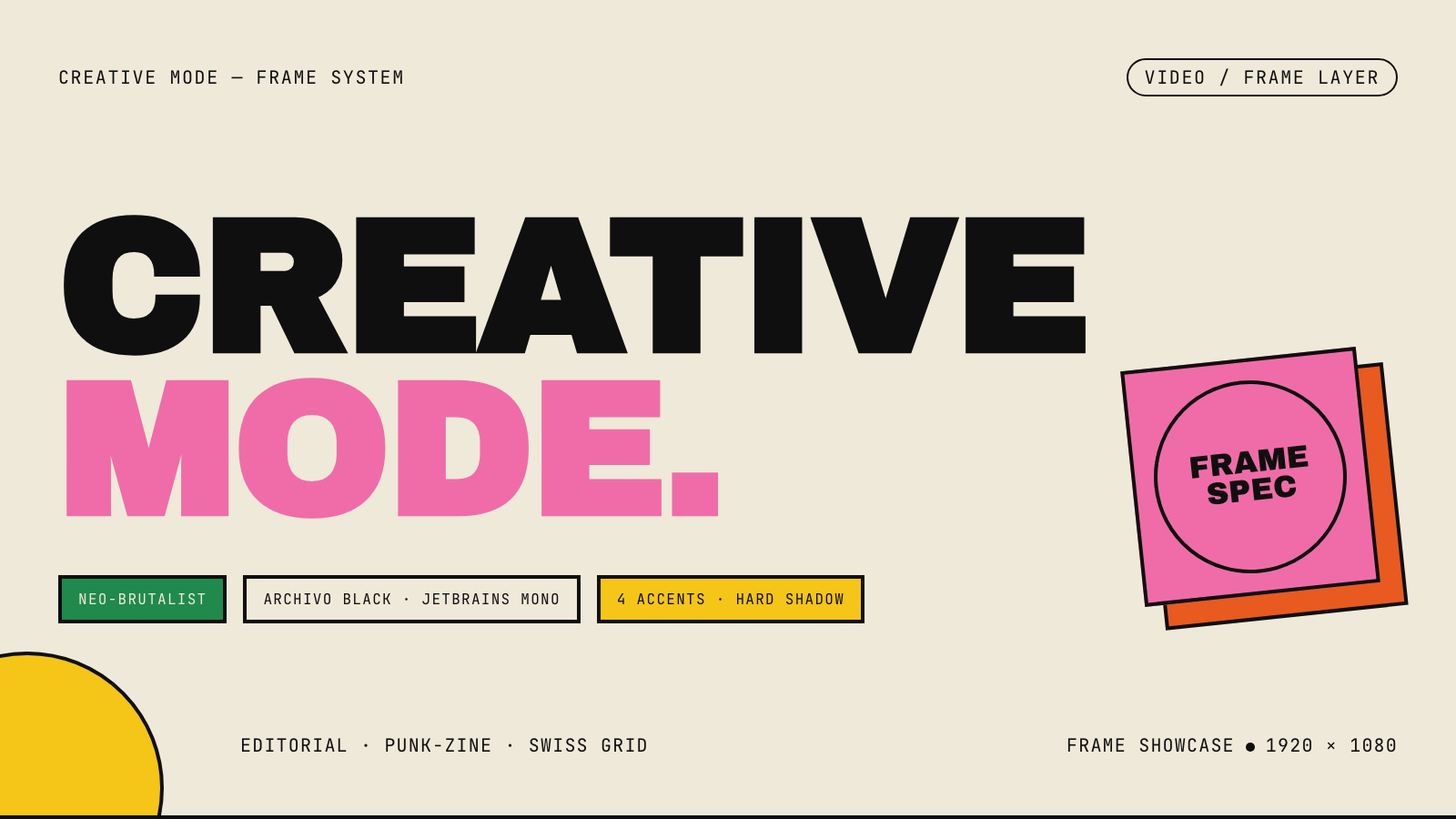
Creative Mode |
Browse and remix them all at hyperframes.dev/design.
How It Works
Define a video as HTML. Add data attributes for timing and tracks. Use GSAP, CSS, Lottie, Three.js, Anime.js, WAAPI, or your own frame adapter for seekable animation.
<div id="stage" data-composition-id="launch" data-start="0" data-width="1920" data-height="1080">
  <video
    class="clip"
    data-start="0"
    data-duration="6"
    data-track-index="0"
    src="intro.mp4"
    muted
    playsinline
  ></video>

  <h1 id="title" class="clip" data-start="1" data-duration="4" data-track-index="1">Launch day</h1>

  <audio
    data-start="0"
    data-duration="6"
    data-track-index="2"
    data-volume="0.5"
    src="music.wav"
  ></audio>

  <script src="https://cdn.jsdelivr.net/npm/gsap@3/dist/gsap.min.js"></script>
  <script>
    const tl = gsap.timeline({ paused: true });
    tl.from("#title", { opacity: 0, y: 40, duration: 0.8 }, 1);
    window.__timelines = window.__timelines || {};
    window.__timelines.launch = tl;
  </script>
</div>
Preview instantly in the browser. Render locally or in Docker. The renderer seeks each frame in headless Chrome and encodes the result with FFmpeg, so the same input produces the same video.
HyperFrames Stack
HyperFrames is the open-source rendering engine, plus a growing set of tools around HTML-native video creation.
| Piece | Status | What it does |
|---|---|---|
| CLI | Available | Scaffold, preview, lint, inspect, and render local video projects |
| Core / Engine / Producer | Available | Parse compositions, drive headless Chrome, encode video, and mix audio |
| Catalog | Available | Reusable blocks and components for transitions, overlays, captions, charts, maps, and effects |
| Agent skills | Available | Teach coding agents the video-production patterns that generic web docs miss |
| Studio | Available, evolving | Browser surface for previewing and editing compositions |
| AWS Lambda rendering | Available | Deploy a distributed render stack and drive renders from your laptop or CI |
| hyperframes.dev | Available | Community playground for previewing, iterating, sharing, and rendering HTML-native video projects |
| frame.md | Available | Invert your design system for the camera — a DESIGN.md superset an agent can compose video from |
Catalog
Install ready-to-use blocks and components:
npx hyperframes add flash-through-white   # shader transition
npx hyperframes add instagram-follow      # social overlay
npx hyperframes add data-chart            # animated chart
Browse the catalog at hyperframes.heygen.com/catalog.
Why HyperFrames?
- HTML-native: compositions are HTML files with data attributes. No React requirement, no proprietary timeline format.
- Agent-friendly: agents already write HTML, and the CLI is non-interactive by default.
- Deterministic: same input, same frames, same output. Built for CI, regression tests, and automated rendering.
- No build step: an
index.htmlcomposition plays as-is and can be previewed directly in the browser. - Adapter-based animation: bring GSAP, CSS animations, Lottie, Three.js, Anime.js, WAAPI, or a custom runtime.
- Open source: Apache 2.0 license, with no per-render fees or commercial-use thresholds.
HyperFrames vs Remotion
HyperFrames is inspired by Remotion. Both tools render video with headless Chrome and FFmpeg. The main difference is the authoring model: Remotion's bet is React components; HyperFrames' bet is plain HTML that humans and agents can both write easily.
| HyperFrames | Remotion | |
|---|---|---|
| Authoring | HTML + CSS + seekable animation | React components |
| Build step | None; index.html plays as-is |
Bundler required |
| Agent handoff | Plain HTML files | JSX / React project |
| Library-clock animations | Seekable, frame-accurate via adapters | Wall-clock animation patterns need care |
| Distributed rendering | Local and AWS Lambda render paths | Remotion Lambda, mature cloud renderer |
| License | Apache 2.0 | Source-available Remotion License |
Read the full comparison in the HyperFrames vs Remotion guide.
Documentation
Full documentation: hyperframes.heygen.com/introduction
Packages
| Package | Description |
|---|---|
hyperframes |
CLI for creating, previewing, linting, and rendering compositions |
@hyperframes/core |
Types, parsers, generators, linter, runtime, and frame adapters |
@hyperframes/engine |
Seekable page-to-video capture engine using Puppeteer and FFmpeg |
@hyperframes/producer |
Full rendering pipeline for capture, encode, and audio mix |
@hyperframes/studio |
Browser-based composition editor UI |
@hyperframes/player |
Embeddable <hyperframes-player> web component |
@hyperframes/shader-transitions |
WebGL shader transitions for compositions |
@hyperframes/aws-lambda |
AWS Lambda SDK and deployment surface for distributed renders |
Community
HyperFrames is used in production at HeyGen, with community examples from teams like tldraw, TanStack, and others in ADOPTERS.md. Open a PR if your team is using HyperFrames.
- Questions and ideas: Discord
- Bugs and feature requests: GitHub Issues
- Security reports: SECURITY.md
- Contributions: CONTRIBUTING.md
Development Note
The repo uses Git LFS for golden regression-test baselines under packages/producer/tests/**/output.mp4 (about 240 MB of .mp4 files). If you're cloning the full repo for development, install Git LFS first:
# macOS
brew install git-lfs

# Ubuntu / Debian
sudo apt install git-lfs

# Windows
winget install GitHub.GitLFS

# Then, once per machine
git lfs install
If you only need source files, you can skip LFS content:
GIT_LFS_SKIP_SMUDGE=1 git clone https://github.com/heygen-com/hyperframes.git