 Miguel Ángel
4c6fa9a790
Miguel Ángel
4c6fa9a790
* chore(studio): remove the write-only self-write timestamp ref

`domEditSaveTimestampRef` was assigned at 26 sites across 54 files and read
nowhere. It used to feed a 2 s "suppress the watcher reload after our own
write" window; that mechanism was replaced by content-hash identity in
sdkSelfWriteRegistry, whose header still says why (a clock cannot tell an
SDK self-write echo from an undo landing in the same window). The reader
went with that change, the writers did not, and three comments kept
describing the timestamp as protection that no longer existed.

Pure deletion: the ref, every prop and parameter that threaded it, every
assignment, the five comments citing it, and the orphaned test helpers.
No behaviour change; the studio suite, typecheck, lint and format are
green.

Not removed: the __hfSuppressSceneMutations wrapper in gsapSoftReload.ts.
It looked undefined from inside the studio package, but shader-transitions
installs it on the preview window (hyper-shader.ts) so soft reloads do not
invalidate cached transitions. It is live.

* docs(studio): plan for loading the preview during the shell's first layout

* fix(runtime): a paused preview stays still after any seek

Sub-compositions kept animating while the transport was paused and the
Studio button showed play. A render-seek unpauses every sibling timeline so
GSAP propagates the root's totalTime into them, and nothing paused them
again; parented to the global ticker, they free-ran at 1x while the master
timeline and the clock stayed stopped. The Studio reaches that seek path
through its seek-driven fallback adapter right after a preview reload,
which is why editing text was what set it off. Captured live in the user's
preview: seven child timelines advancing 0.210s per 200ms sample, all
gsapPaused=false, transport not playing.

Three fixes under one invariant: while the clock is paused nothing runs,
and the button never disagrees with the runtime.

- The sibling rearm is a lease, not a resting state: seekTimelineAndAdapters
  now returns every timeline it unpaused to paused in a finally. The second
  rearm after the child re-seek only ever changed the leaked state and is
  gone, with the comment that justified the leak by describing one caller.
- The paused side of the transport tick policed nothing; it now stops any
  timed media element found running. A parked transport runs no ticks, so a
  capture-phase play listener wakes it.
- Studio's canvas click resumed by setting the store flag alone; it now
  requests playback through the player so adapter, rAF loop and flag agree.

Regression tests fail without each of the three changes.

* perf(studio-server): stop re-encoding videos the browser already plays on open

Opening a project kicked off a background transcode for every asset whose
codec some browser might not decode. VP9 is on that list for Safari's sake,
so a Chrome user opening a project with a VP9 avatar paid a ~10s, ~60
CPU-second re-encode across six cores on every open, concurrently with the
browser's first layout, for an output nothing ever requested: across four
recorded sessions the browser asked for the proxy zero times.

One predicate was doing two jobs. "Could some browser fail on this" is a
property of the asset and decides what gets injected into the page;
"will this client request the substitute" decides whether to spend CPU
before being asked. The codec table now carries an explicit prewarm flag:
HEVC and ProRes (no browser decodes them) still warm; VP9 and AV1 are
injected but transcoded lazily by the existing ?hf-proxy= request, which
already reports failure as a 502.

Pre-warms requested and proxies served are now counted on the existing
structured-stderr telemetry channel, because a speculative job with a 0%
hit rate emits no error and had been invisible. A single lookup helper
also closes a prototype-key gap where one path used Object.hasOwn and the
other a bare index.

Regression test: a VP9 and an HEVC asset in one composition yield exactly
one pre-warm, for the HEVC. Fails on the previous gate.

* perf(cli): serve the studio bundle compressed and cache hashed assets

The 4.1MB studio bundle was served uncompressed with Cache-Control:
no-store, so every open of the studio re-downloaded and re-parsed it. Vite
names built assets with an 8-character content hash, so their bytes can
never change: those now ship gzip-compressed (1.25MB on the wire,
byte-identical after inflation) with a one-year immutable cache policy.
Unhashed files under public/ keep no-store, and the HTML shell, which
previously sent no Cache-Control at all, now sends no-store explicitly:
it is the only thing that names the current hashed bundle, and it must
keep revalidating for the immutable policy to be safe.

The hash test only accepts the segment after the last hyphen and requires
a digit, underscore or capital, so an ordinary hyphenated name like
user-Guide-v2.js is not mistaken for a hash and served forever.

* perf(cli): warm the preview route before the browser opens

The browser's first request for a project's preview paid the server's cold
compiler import and first bundle in the request path, after the studio
shell's own first-layout stall, so both costs landed on the user's
time-to-first-frame in series. The CLI now issues one fire-and-forget
request for the preview route from openStudioBrowser, the single funnel
for every launch path, before the --no-open early return so pasted URLs
benefit too. Measured on the demo project: first client request 231ms
before, 101ms after; the ETag 304 path afterwards is under 1ms.

The fetch carries a 10s abort so an unsettled connection cannot keep an
otherwise-finished CLI process alive, matching the package's existing
convention. The shader query params the player appends are not part of
the route's cache key, so the plain route URL warms the same entry.

* perf(studio): request the player chunk before the shell's first layout

The dynamic import of @hyperframes/player ran inside the preview's mount
effect, which React schedules after the shell's first layout. On a cold
open that layout stalls the main thread for seconds, so the chunk request
waited behind it for no reason. The import is now kicked at module scope,
behind a typeof window guard that preserves the documented SSR contract
(the module registers a custom element at load), and the mount effect
awaits the already-in-flight promise. Verified in the built bundle: the
preload call sits at module top level, so the request goes out on bundle
evaluation.

* fix(studio): editing a text property no longer reloads the preview

Every keystroke in the Design panel writes the composition file, the file
watcher announces the change to the studio, and the studio decides whether
the change was its own. Over the CLI's event stream that decision has
never worked: the browser hands the handler a MessageEvent whose data is
a JSON string, and three of the four payload readers (version, write
token, content) only understood an already-parsed object, so they read
every field as absent. An absent token means "someone else edited the
file", and the studio hard-reloaded the preview iframe on its own edit,
blanking it for seconds. The path reader alone knew how to unwrap the
string, which is why the event was recognised well enough to reload and
never well enough to suppress.

The envelope is now decoded once, at the boundary, by one function that
all three transports feed; the readers share one field accessor so they
cannot diverge again. The production event-stream rung is extracted into
an exported channel so a test can drive a real MessageEvent through the
listener it registers, which was impossible before because vitest defines
import.meta.hot and the selection never reached that rung under test.

A second, smaller cause: the server attached the write receipt to the
first subscriber only and deleted it on read, so any other listener saw
an unlabelled change. Reads are now non-destructive with the TTL as the
only eviction, scanning newest-first because identical bytes written
twice inside the TTL (undo, retyping a value) share a version and the
older token was already spent. The file version now ships with every
event, receipt or not, so duplicate deliveries of one change dedupe
instead of reloading once each.

shouldReloadSdkSession had no production callers and a signature that
invited an undecoded delivery straight back into this bug; it is removed.
consumeFileWriteReceipt stays as a deprecated alias for one release.

Regression tests: a Studio write delivered as a real SSE MessageEvent is
suppressed; two subscribers of one watcher event reload once; a genuinely
external write still reloads; a repeat of earlier bytes gets the newest
token; a receipt past the TTL is not recognised. Each fails on the code
before it.

* fix(runtime): paused-time media playback is borrowed, not banned

The paused-side enforcement added in the previous commit had no notion of
provenance, so it stopped two features that legitimately play media while the
transport clock is paused. Both were deterministic, not racy: the capture-phase
`play` listener means the very play() that starts them wakes the transport that
stops them.

- The colour-grading preview (colorGrading.ts startPreviewPlayback) plays a
  video while paused to render grading previews. It went dark on the first
  paused tick.
- The Studio's scrub audition (timelineIframeHelpers.ts applyScrub) plays the
  music track for ~140 ms while paused so a playhead drag is audible. Same path
  killed it.

A runtime-owned lease fixes both without weakening the enforcement. One owner: a
WeakSet in the runtime closure, with lease/release published on the existing
window.__hf surface for the Studio, which reaches the element across the iframe
boundary and cannot call into the closure. The grading runtime is constructed
with the pair directly. Both the cheap probe and the sync path skip leased
elements while the clock is paused; during playback the transport owns everything
again. Anything that plays while paused without a lease is, by definition, the
defect the enforcement exists for, and is still stopped.

Two corrections to the previous commit's reasoning:

The old leak broke the render path too, deterministically, not only the preview.
packages/producer/src/services/fileServer.ts:375-379 seekToTime flushes the
virtualized rAF queue, and GSAP's global ticker with it, after renderSeek and
before the frame screenshot (fileServer.ts:657-664, hf.seek). A sibling left
unpaused therefore advanced by the full inter-frame delta into the captured
frame. The finally added in the previous commit fixes that as well.

Deleting the second activateSiblingTimelines is safe because nothing between
frames reads a sibling's paused(), verified by grep over the deterministic
adapters, syncTimedElementVisibility, the hf-timelines-built handler and
__hfReseekGpu. Not merely because seekStandaloneRegisteredTimelines pauses each
child. The code comment now gives that reason.

Tests, each proven non-vacuous by reverting the piece it guards:
- a leased element survives repeated paused ticks and is stopped once released
- the colour-grading preview survives, through the real init wiring
- the scrub borrows the element and gives it back on stop
- the existing test that an unleased element is still stopped keeps passing

* test(runtime): a lease ends when the transport plays or the borrower stops

Two assertions the review found not load-bearing. Dropping the isPlaying
branch so leased media stayed exempt during playback left every test
green; a leased out-of-window clip is now asserted stopped the moment the
transport plays. Deleting the release in the grading stop closure also
left the suite green, because the pause on the next line satisfied the
assertion; a restart after stop is now asserted stopped, which only the
release makes true.

* test(studio): the event-stream channel must open /api/events

* fix(studio-server): stop printing a proxy diagnostic line per clip on every render

Review of the pre-warm commit found the diagnostic louder than the thing it
diagnoses, and the two counters measuring different things under one name.

The per-asset `prewarm_requested` line is now behind
HYPERFRAMES_DEBUG_MEDIA_PROXY, matching isGpuProbeDebugEnabled in
packages/engine/src/utils/gpuEncoder.ts. A composition with fifty hostile
clips printed fifty JSON lines into a clack-formatted terminal on every
re-render. One summary line is written at process exit instead, using the
same process.on("exit") shutdown hook as packages/cli/src/cli.ts.

The counters now share a unit. prewarmsRequested counts per asset per render;
proxyRequests counted every HTTP request, including 304s. It now increments
once per resolveProxy call, after the ETag shortcut, so a revalidated repeat
no longer reads as fresh demand. An unconditional Range refill still counts,
and the docstring says so rather than claiming otherwise.

The HEVC justification was false on macOS Chrome, which answers canPlayType
for hvc1 with "probably" and keeps the source, so the pre-warm is redeemed
there only through the reactive zero-videoWidth path. prewarm stays true
because Chrome on Windows/Linux and Firefox do need the substitute; the
comment and test names now say "no cross-platform decode" instead of
"browsers never decode it".

Two test gaps closed. Nulling vp9's representativeMime left the suite green
while making the client skip canPlayType and proxy on every browser, which
would reinstate exactly the transcodes this work removed; the mimes are now
pinned. The Object.prototype test passed with the hasOwn guard deleted, so it
now goes through probeAssetCodec, the input that actually misbehaves without
it. Both fail when the change is reverted.

* perf(cli): stop gzipping the studio bundle on loopback

Compression made the cold open slower on the only transport this server has.
It binds 127.0.0.1 with no --host, and measured there the six bundle assets
took 69.8 ms with gzip against 7.9 ms raw; the 4.1 MB chunk alone was 49.4 ms
against 3.1 ms. hono/compress is removed, which also retires the Vary header
question it raised. If remote serving ever matters, compress at build time
rather than per request.

The cache policy is now decided by route instead of by filename. Reading a
content hash out of a name cannot work: rollup's alphabet is base64url and
includes a hyphen, so roughly one hashed file in ten was misread as unhashed,
and the immutable header also leaked onto hand-authored public/ files served
by the same handler. packages/studio/vite.config.ts sets neither
build.assetsDir nor publicDir, so dist/assets holds only rollup's hashed
emits and every public/ file lands at the dist root. /assets/* is therefore
immutable and /icons/* and /favicon.svg keep revalidating, with no heuristic
in between.

The shell is no-cache rather than no-store. It carries no ETag, so both force
the same full refetch, but no-store puts the document on Chrome's bfcache
blocklist: leaving Studio and pressing Back would cold-boot the app instead
of restoring it.

* docs(runtime): say what the paused-media probe actually filters

* revert(cli): drop the preview prewarm that held the CLI event loop

The fire-and-forget warm added in c9b4263c7 keeps the CLI alive until it
settles. cli.ts drains the event loop instead of calling process.exit, and
two launch paths return straight into exit, so the warm delays them: 2660 ms
with the warm suppressed, 8779 ms against a server answering in 6 s, 13293 ms
against one that hangs. The 10 s abort bounds the hold, it does not remove it.
This is the hazard already documented at preview.ts:1605-1609.

Moving the warm into the server process was the obvious fix, but measurement
says there is nothing there to warm. tsup bundles @hyperframes/core/compiler
into cli.js -- bundleToSingleHtml is a plain inline function in the artifact --
so the await import() at studioServer.ts:397 resolves an already-evaluated
namespace. A probe at listen time measures that import at 1 ms, and a paired
run shows no gain: first request 256 ms without a compiler kick, 308 ms with
one. The cold cost the plan attributed to the module load is somewhere else.

Two claims in the reverted comment were also wrong: routes/preview.ts:332 is
an ETag, not a bundle cache, and the player appends no shader params -- the
only query param is variables, which IS part of the ETag.

Reverts packages/cli to origin/main exactly.

* fix(studio): let a remount retry the player chunk after a failed load

1037456aa hoisted the dynamic import to module scope and shared one promise
across every mount. On rejection the .then never ran again: retryPreviewRef
and previewError stayed null, compositionLoading stayed true, so the preview
sat on an infinite spinner with the retry button at Player.tsx:462 unreachable,
and remounting <Player key={activeKey}> -- the recovery path that used to work
-- awaited the same rejected promise.

Memoize through a getter that clears the memo on rejection instead. The
module-scope kick still fires the chunk request before the shell's first
layout, and a remount performs a fresh import as it did before the hoist.

Discloses what the earlier commit did not: the player barrel re-exports
Player, so every studio module importing that barrel now evaluates this one
and eagerly loads the real player bundle. That is 27 DOM-env test files;
the full studio suite passes, 439 files and 4838 tests.

* docs(studio-server): trim the proxy-counter comment to the repo's four-line cap

* fix(studio): stop one failed player import poisoning every later mount

The previous commit claimed a remount could retry the player chunk after a
failed load. In a browser it cannot: the module map caches a failed fetch
as an errored entry for the document's lifetime, so a repeated import of
the same specifier rejects from cache without touching the network
(measured in headless Chrome: three attempts, one request). Clearing the
memo on rejection is still right, because it stops every later mount
awaiting the same poisoned promise, but recovery is a page reload, and the
comment now says so.

The tests said what vitest does, not what the browser does. Two assertions
survived their own mutation: removing the memoisation left the attempt
counter unchanged because vitest caches a resolved mock, and deleting the
module-scope kick, the optimisation this branch exists for, left the suite
green. Both are now asserted directly: the kick has run once at import
time before any mount, and every mount receives the identical promise.

* chore(ci): allow the deletion of the dead sdk-session reload test

* fix(runtime): the timeline resolver no longer unpauses children it cannot drive

Exercising the branch in a real browser still showed sub-compositions
free-running while paused, on a path no seek follows: the timeline
resolver, which runs on every rebind (after an edit, on the periodic bind),
unpaused every registered child BEFORE trying to nest it into the root.
A child the root actually holds is driven by the paused root and is
harmless; a child the root never takes stays on GSAP's global ticker, and
unpaused there means running. The seek fix in this branch could not
reach it, because a rebind is not a seek.

The resolver now reads back which children the root holds and unpauses
only those; the same rule applies to the composite fallback timelines.
Standalone registry children stay paused, as the transport's per-child
seek already requires.

Regression test: a hosted registry child whose root cannot nest it stays
paused across a forced rebind. Fails on the previous resolver.

* test(runtime): pin that the resolver unpauses a child only once the root holds it

The resolver's positive half had no fixture: nothing anywhere nested a
candidate for real, so computing the held set before the add loop instead
of after it left the suite green. A root that reports children only once
added now distinguishes the two orders, and the unpause is asserted at
the moment it happens, because the transport's first seek pauses every
hosted child again straight after resolution. Also drops a cast that
re-declared getChildren, which RuntimeTimelineLike already has.

* fix(runtime): the paused side stops every clip the transport drives

The paused-side enforcement scanned only media carrying its own data-start.
A clip inside a composition inherits its timing from the host and has no
data-start of its own, yet the transport plays it, so it could start while
paused and run unopposed, exactly the hole the invariant was written to
close. Reviewer probe: a hosted video with data-duration only kept
running while paused; the same element started under __player.play().

"Media the transport drives" now has one definition, shared by the media
cache and the paused-side probe, so neither can be narrower than the
other. Regression test: hosted media with no data-start started while
paused is stopped. Fails against the data-start-only scan.






Write HTML. Render video. Built for agents.
Quickstart | Showcase | Playground | Catalog | Docs | Discord

HyperFrames is an open-source framework for turning HTML, CSS, media, and seekable animations into deterministic MP4 videos. Use it locally with the CLI, from AI coding agents with skills, or as the rendering core behind hosted authoring workflows.
Quick Start
With an AI coding agent
Install the HyperFrames skills, then describe the video you want:
npx skills add heygen-com/hyperframes
The picker opens with nothing pre-selected — the Core Skills group is all you need: the
/hyperframesrouter installs each creation workflow on demand. Agents and non-interactive runs should usenpx hyperframes skills updateinstead — it installs exactly the core set, whereasskills add --allinstalls all 20 published skills. The six repo-internal skills under.claude/skills/.agents/skillsare excluded by default. For the full published set usenpx hyperframes skills.
skills addresolves the skills.sh registry blob, which can lagmainby hours.npx hyperframes skills updateinstalls from the currentmain, so reach for it when you need the newest copy of a skill.
Try a prompt like:
Using
/hyperframes, create a 10-second product intro with a fade-in title, a background video, and subtle background music.
The skills teach agents the HyperFrames production loop: plan the video, write valid HTML, wire seekable animations, add media, lint, preview, and render. They work with Claude Code, Cursor, Gemini CLI, Codex, and other coding agents that support skills.
Skills
HyperFrames ships 20 skills agents load on demand. Read /hyperframes first — it's the router and capability map; it picks a workflow for any "make me a…" request — video, deck, or composition port — and points to the domain skills below.
Default to the core set — the router installs each creation workflow on demand. npx hyperframes skills update installs exactly that from anywhere; the interactive picker (npx skills add heygen-com/hyperframes) lists it as the "Core Skills" group, nothing pre-selected. The picker is interactive-only — a non-interactive or agent run without --skill installs all 20. Use npx skills add heygen-com/hyperframes --all to install all 20 deliberately (skips the picker), or npx skills add heygen-com/hyperframes --skill <name> for just one (bare name, no leading /).
Installs stay lean after that: npx hyperframes init keeps the core set fresh (the router, the hyperframes-* domain skills, and media-use — plus whatever is already installed; /figma stays on demand) and never expands a partial install; the creation workflows install on demand — the router runs npx hyperframes skills update <workflow> before entering one. Nothing re-pulls the full set behind your back.
Upload to Codex
Build the upload-ready Codex plugin archive from the committed HEAD version of the manifest, brand assets, and skills:
bun run package:codex-plugin
This writes dist/hyperframes-plugin.zip with a hyperframes/ root folder and fails if the archive exceeds Codex's 100 MB upload limit.
Router
| Skill | Use when |
|---|---|
/hyperframes |
Read first for any request to make / create / edit / animate / render a video, animation, or motion graphic. Capability map for the domain skills, the intent layer that confirms every creation brief up front, and intent router for the creation workflows below. |
Creation workflows
| Skill | Use when |
|---|---|
/product-launch-video |
Any website — marketing / launching / promoting a product (from its URL, a brief, or a script), or a site tour / showcase / social clip featuring the site's own visuals. Up to ~3 min (sweet spot 30-90s). |
/faceless-explainer |
Explaining a topic / concept from arbitrary text — no product, no URL, no website capture; every visual is LLM-invented (typography / abstract / diagram / data-viz). |
/pr-to-video |
A GitHub pull request (PR URL, owner/repo#N ref, or "this PR") → changelog / feature-reveal / fix / refactor explainer, read via the gh CLI. |
/embedded-captions |
Adding captions / subtitles to an existing talking-head video (footage untouched) — verbatim rail, embedded climax behind the subject, or pure-cinematic embed. |
/talking-head-recut |
Packaging an existing talking-head / interview / podcast video with designed graphic overlays — lower-thirds, data callouts, kinetic titles, pull-quotes, side panels, PiP. |
/motion-graphics |
A short, unnarrated, design-led motion graphic (~under 10s) — kinetic type, stat / chart hit, logo sting, lower-third, animated tweet / headline. MP4 or transparent overlay. |
/music-to-video |
A music track (audio file, video to pull audio from, or one generated from a mood brief) → a beat-synced video — lyric, slideshow, or kinetic promo; music drives pacing. |
/slideshow |
A presentation / pitch deck / interactive deck — discrete slides, fragment reveals, branching, hotspot navigation, presenter mode. Output is a navigable deck, not a rendered video. |
/general-video |
Anything else — longer or multi-scene pieces, brand / sizzle reel, title card, static loop, freeform composition. Input- and length-agnostic fallback, and the home of companion mode (co-create with the full toolbox). |
/remotion-to-hyperframes |
Porting an existing Remotion (React) composition's source to HyperFrames HTML. One-way migration, not creation. |
Domain skills (loaded on demand)
Atomic capabilities the creation workflows compose against — pull one when you need that specific layer.
| Skill | Covers |
|---|---|
/hyperframes-core |
The composition contract — data-* timing attributes, class="clip", tracks, sub-compositions, variables, framework-owned media playback, determinism rules. |
/hyperframes-animation |
All animation knowledge — atomic motion rules, scene blueprints, transitions, runtime adapters (GSAP / Lottie / Three.js / Anime.js / CSS / WAAPI / TypeGPU). |
/hyperframes-keyframes |
Seek-safe keyframe authoring across runtimes — GSAP timelines, CSS keyframes, Anime.js, WAAPI, FLIP, paths, masks, SVG morph/draw, 3D depth — plus hyperframes keyframes diagnostics for rendered motion. |
/hyperframes-creative |
Non-animation creative direction — frame.md / design.md, palettes, typography, narration, beat planning, audio-reactive visuals, composition patterns. |
/media-use |
The media OS — resolve any media need (BGM, SFX, image, icon, logo, voice, color grade, LUT) into a frozen local file or paste-ready block + ledger record, generate via TTS/music/image models when the catalog misses, transcribe, caption, remove backgrounds, and reuse assets across projects. One shared audio engine + manifest tracking. |
/hyperframes-cli |
CLI dev loop — init, lint, check, snapshot, preview, render, publish, doctor, plus HeyGen-hosted cloud rendering (cloud render) and AWS Lambda rendering (lambda deploy / render / progress). |
/hyperframes-audio |
Mix the audio already placed in a composition — voiceover carve (dip a music bed only in the bands the voice occupies, static or dynamic, level match included), the effect chain (EQ, compressor, limiter, gate, saturation, delay, reverb, chorus, phaser, bitcrush), automation envelopes on volume or any effect parameter, and submix buses (<hf-audio-group>) carrying one chain, fader and automation clock for several tracks at once. Sourcing the audio is /media-use. |
/hyperframes-registry |
Search, install and wire registry blocks and components into compositions via hyperframes catalog / hyperframes add. Load before hand-building any named look, effect, treatment or transition. Authoring a new block or component to contribute upstream. |
/figma |
Import Figma assets, tokens, components, and storyboard sections → reconstructed motion (frames read as states, not slides) (REST/CLI) plus Motion animations (MCP) and shaders (MCP source / native export) into a composition. |
For visual design handoff workflows, see the Claude Design guide and Open Design guide.
Manually with the CLI
npx hyperframes init my-video
cd my-video
npx hyperframes preview      # preview in browser with live reload
npx hyperframes render       # render to MP4
Requirements: Node.js 22+, FFmpeg
What You Can Build
Need ideas? Browse the Showcase for finished videos you can watch, read, run, and remix.
- Product launch videos and feature announcements
- PR walkthroughs with animated code diffs, narration, and captions
- Data visualizations, chart races, and map animations
- Social videos with kinetic captions, overlays, and music
- Docs-to-video, PDF-to-video, and site-tour explainers
- Reusable motion graphics for automated content pipelines
Frame.md
frame.md — your design system, ready for video.
Every brand has a design.md. None of them were written for a camera. frame.md is the missing translation layer: it takes your web-context design spec and inverts it for the frame — the same tokens, the same rules, but rewritten so an AI agent can compose a promo video without guessing at scale or reaching for web chrome.
The output is a DESIGN.md superset your whole toolchain can read. Atoms stay sacred. Composition stays free. Numbers come from the script.

Biennale Yellow |

BlockFrame |
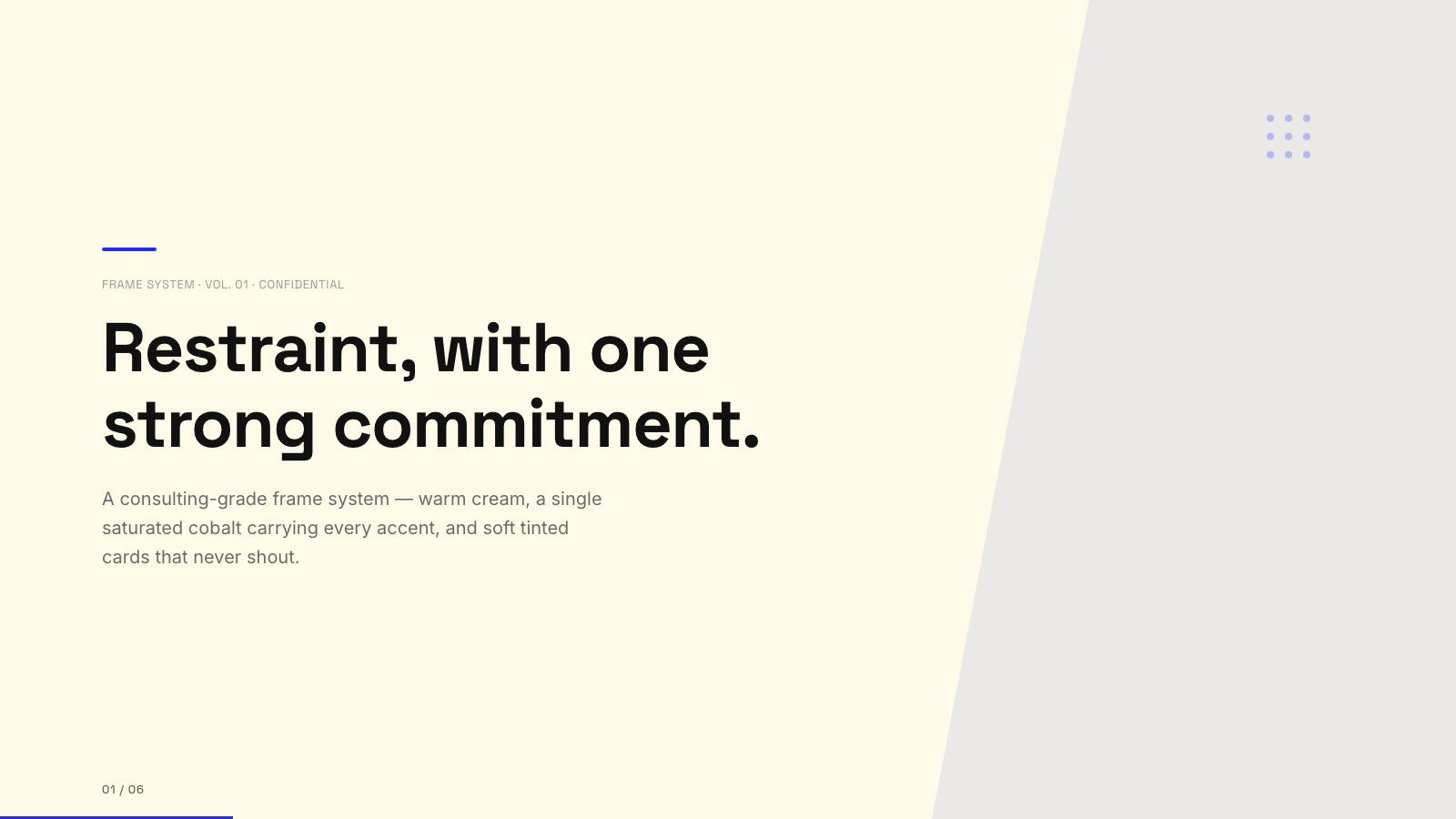
Blue Professional |

Bold Poster |
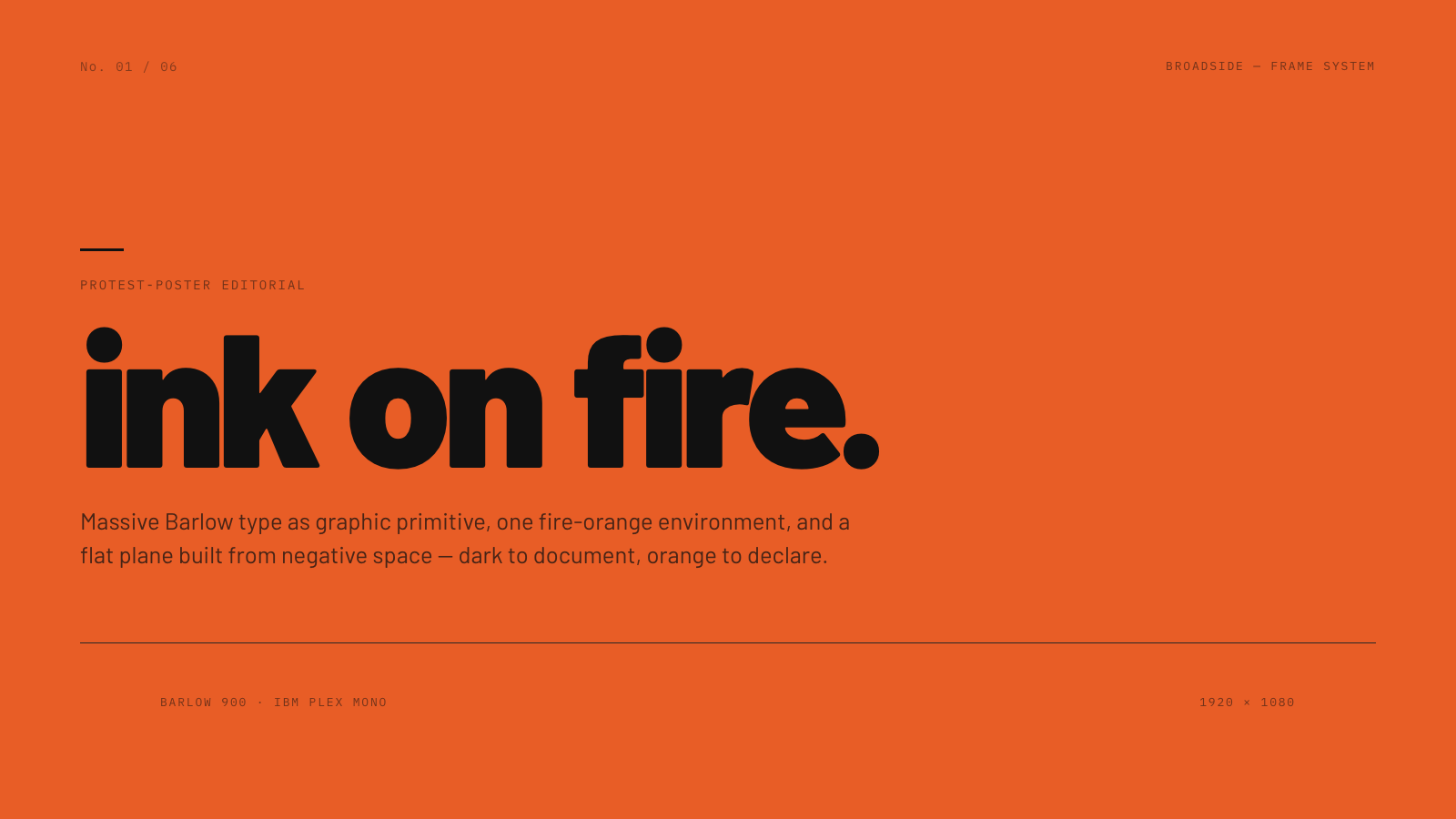
Broadside |
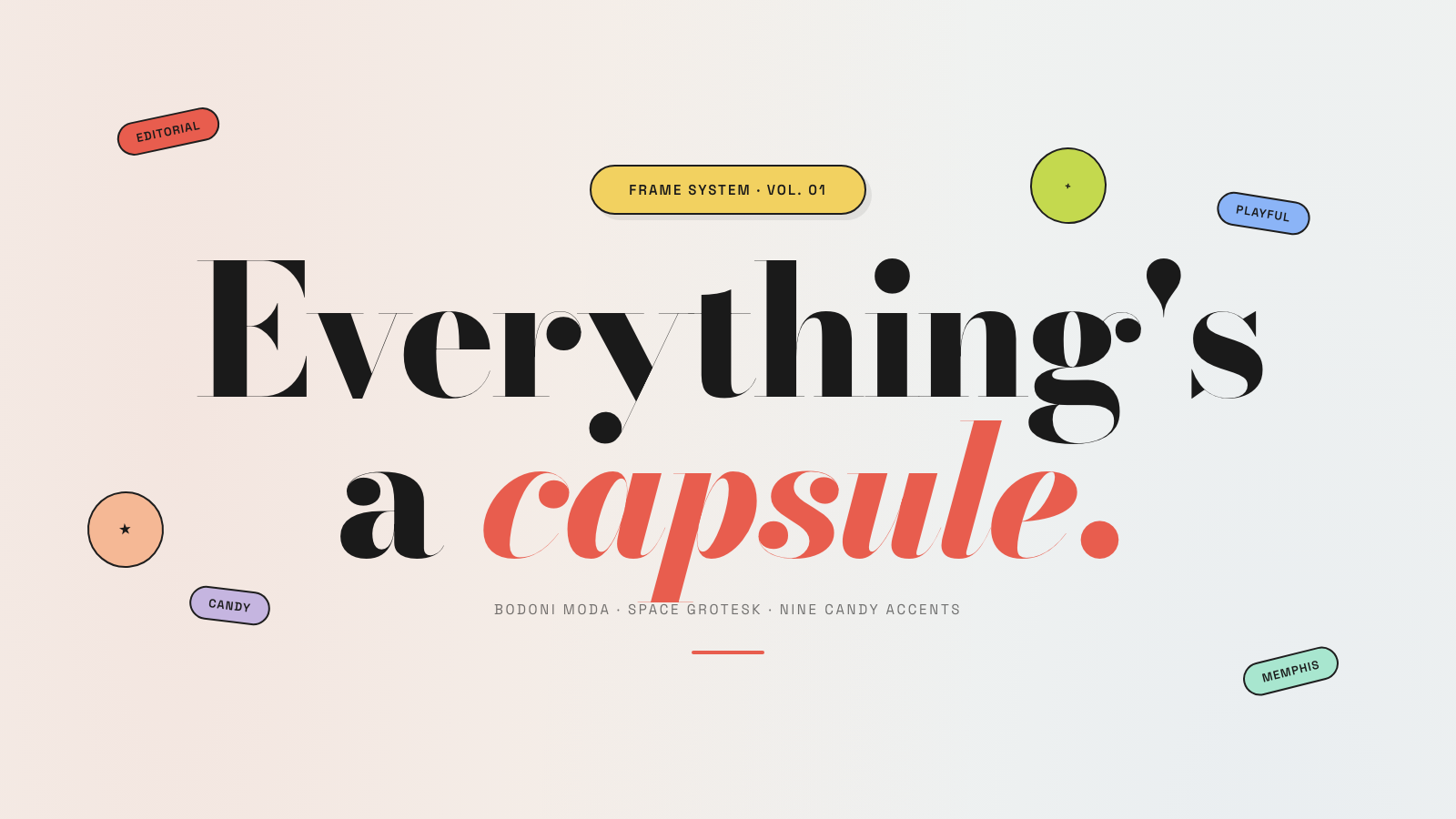
Capsule |
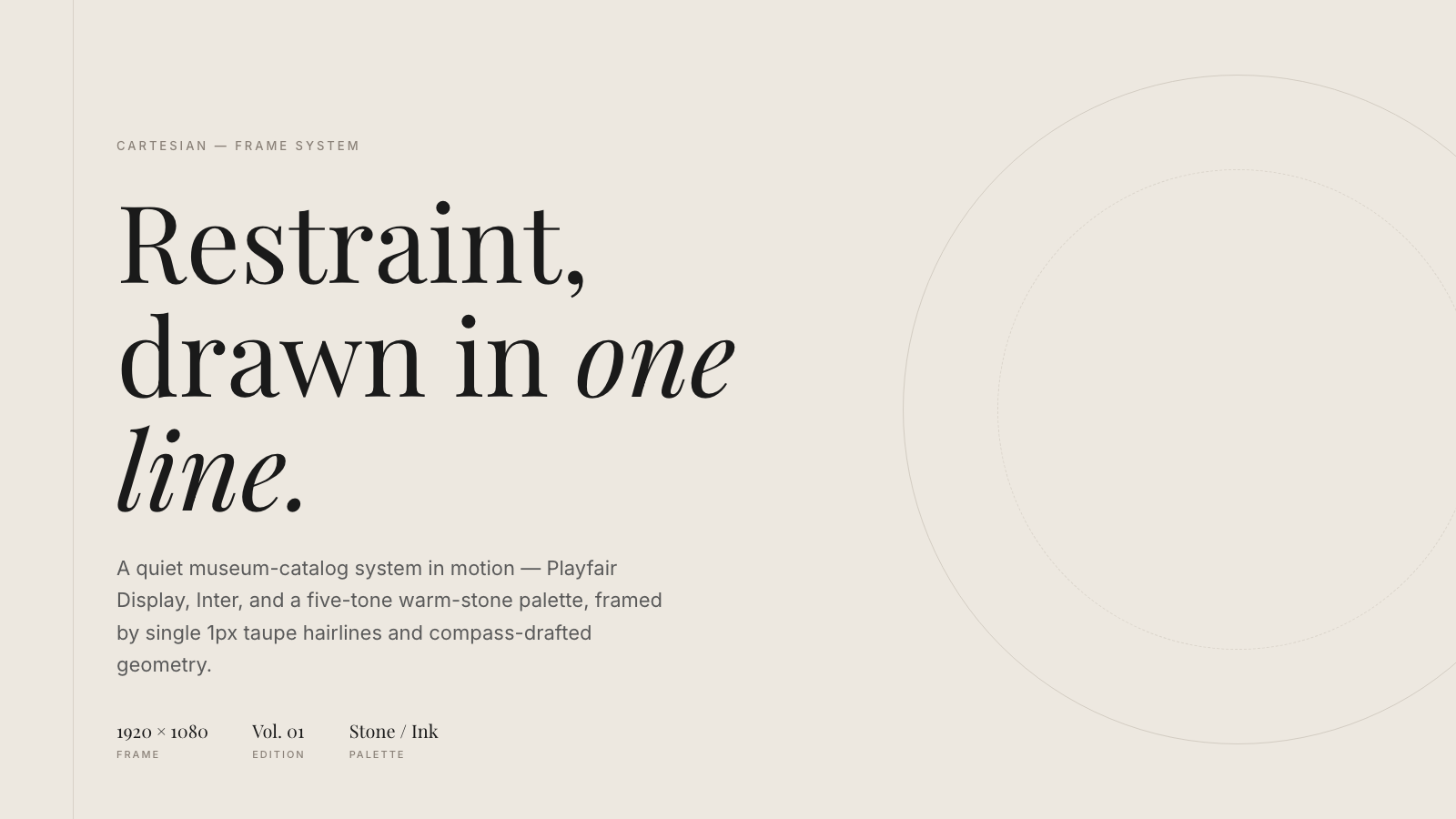
Cartesian |
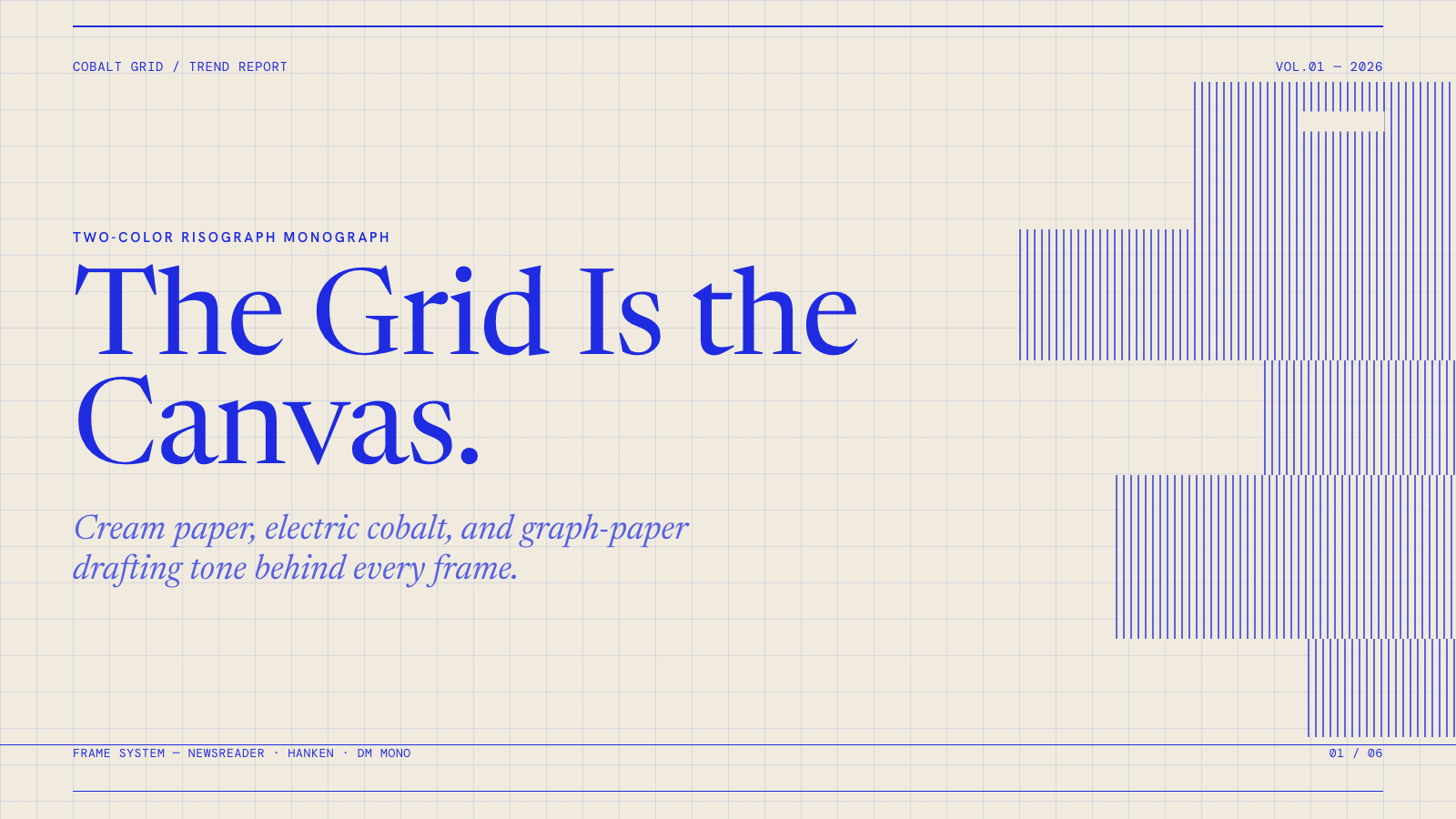
Cobalt Grid |

Coral |
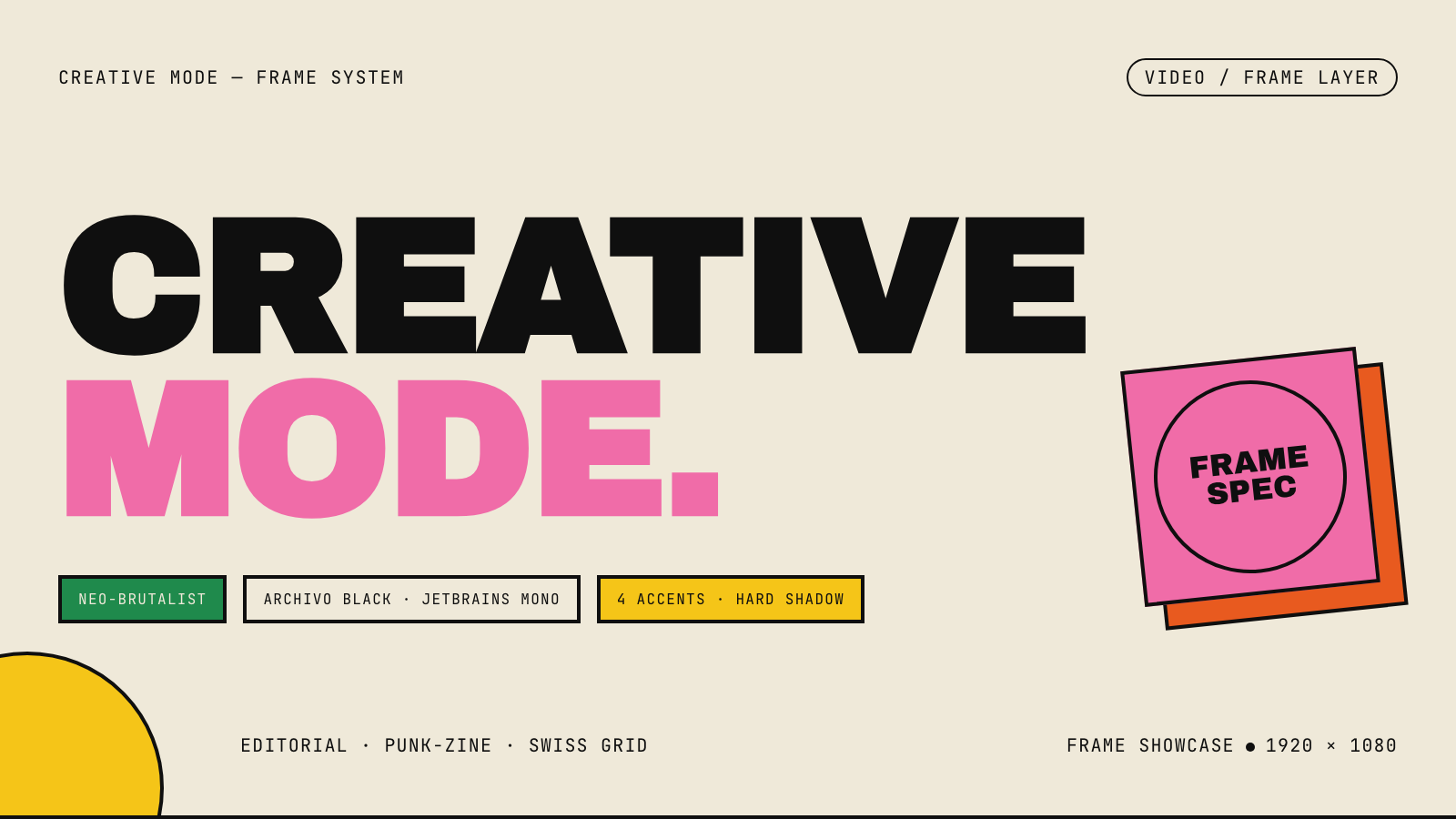
Creative Mode |
Browse and remix them all at hyperframes.dev/design.
How It Works
Define a video as HTML. Add data attributes for timing and tracks. Use GSAP, CSS, Lottie, Three.js, Anime.js, WAAPI, or your own frame adapter for seekable animation.
<div id="stage" data-composition-id="launch" data-start="0" data-width="1920" data-height="1080">
  <video
    class="clip"
    data-start="0"
    data-duration="6"
    data-track-index="0"
    src="intro.mp4"
    muted
    playsinline
  ></video>

  <h1 id="title" class="clip" data-start="1" data-duration="4" data-track-index="1">Launch day</h1>

  <audio
    data-start="0"
    data-duration="6"
    data-track-index="2"
    data-volume="0.5"
    src="music.wav"
  ></audio>

  <script src="https://cdn.jsdelivr.net/npm/gsap@3/dist/gsap.min.js"></script>
  <script>
    const tl = gsap.timeline({ paused: true });
    tl.from("#title", { opacity: 0, y: 40, duration: 0.8 }, 1);
    window.__timelines = window.__timelines || {};
    window.__timelines.launch = tl;
  </script>
</div>
Preview instantly in the browser. Render locally or in Docker. The renderer seeks each frame in headless Chrome and encodes the result with FFmpeg, so the same input produces the same video.
HyperFrames Stack
HyperFrames is the open-source rendering engine, plus a growing set of tools around HTML-native video creation.
| Piece | Status | What it does |
|---|---|---|
| CLI | Available | Scaffold, preview, lint, inspect, and render local video projects |
| Core / Engine / Producer | Available | Parse compositions, drive headless Chrome, encode video, and mix audio |
| Catalog | Available | Reusable blocks and components for transitions, overlays, captions, charts, maps, and effects |
| Agent skills | Available | Teach coding agents the video-production patterns that generic web docs miss |
| Studio | Available, evolving | Browser surface for previewing and editing compositions |
| AWS Lambda rendering | Available | Deploy a distributed render stack and drive renders from your laptop or CI |
| hyperframes.dev | Available | Community playground for previewing, iterating, sharing, and rendering HTML-native video projects |
| frame.md | Available | Invert your design system for the camera — a DESIGN.md superset an agent can compose video from |
Catalog
Install ready-to-use blocks and components:
npx hyperframes add flash-through-white   # shader transition
npx hyperframes add instagram-follow      # social overlay
npx hyperframes add data-chart            # animated chart
Browse the catalog at hyperframes.heygen.com/catalog.
Why HyperFrames?
- HTML-native: compositions are HTML files with data attributes. No React requirement, no proprietary timeline format.
- Agent-friendly: agents already write HTML, and the CLI is non-interactive by default.
- Deterministic: same input, same frames, same output. Built for CI, regression tests, and automated rendering.
- No build step: an
index.htmlcomposition plays as-is and can be previewed directly in the browser. - Adapter-based animation: bring GSAP, CSS animations, Lottie, Three.js, Anime.js, WAAPI, or a custom runtime.
- Open source: Apache 2.0 license, with no per-render fees or commercial-use thresholds.
HyperFrames vs Remotion
HyperFrames is inspired by Remotion. Both tools render video with headless Chrome and FFmpeg. The main difference is the authoring model: Remotion's bet is React components; HyperFrames' bet is plain HTML that humans and agents can both write easily.
| HyperFrames | Remotion | |
|---|---|---|
| Authoring | HTML + CSS + seekable animation | React components |
| Build step | None; index.html plays as-is |
Bundler required |
| Agent handoff | Plain HTML files | JSX / React project |
| Library-clock animations | Seekable, frame-accurate via adapters | Wall-clock animation patterns need care |
| Distributed rendering | Local and AWS Lambda render paths | Remotion Lambda, mature cloud renderer |
| License | Apache 2.0 | Source-available Remotion License |
Read the full comparison in the HyperFrames vs Remotion guide.
Documentation
Full documentation: hyperframes.heygen.com/introduction
Packages
| Package | Description |
|---|---|
hyperframes |
CLI for creating, previewing, linting, and rendering compositions |
@hyperframes/core |
Types, parsers, generators, linter, runtime, and frame adapters |
@hyperframes/engine |
Seekable page-to-video capture engine using Puppeteer and FFmpeg |
@hyperframes/producer |
Full rendering pipeline for capture, encode, and audio mix |
@hyperframes/studio |
Browser-based composition editor UI |
@hyperframes/player |
Embeddable <hyperframes-player> web component |
@hyperframes/shader-transitions |
WebGL shader transitions for compositions |
@hyperframes/aws-lambda |
AWS Lambda SDK and deployment surface for distributed renders |
Community
HyperFrames is used in production at HeyGen, with community examples from teams like tldraw, TanStack, and others in ADOPTERS.md. Open a PR if your team is using HyperFrames.
- Questions and ideas: Discord
- Bugs and feature requests: GitHub Issues
- User research: Book a casual 30-minute conversation with the HyperFrames team — no preparation or sales pitch
- Security reports: SECURITY.md
- Contributions: CONTRIBUTING.md
Development Note
The repo uses Git LFS for golden regression-test baselines under packages/producer/tests/**/output.mp4 (about 240 MB of .mp4 files). If you're cloning the full repo for development, install Git LFS first:
# macOS
brew install git-lfs

# Ubuntu / Debian
sudo apt install git-lfs

# Windows
winget install GitHub.GitLFS

# Then, once per machine
git lfs install
If you only need source files, you can skip LFS content:
GIT_LFS_SKIP_SMUDGE=1 git clone https://github.com/heygen-com/hyperframes.git