 Miguel Ángelandukimsanov
df29fa7a5e
* feat(studio): glue API coexistence layer for the NLE swap

What: extends 21 glue files so the OLD timeline/canvas engine and the NEW
NLE components type-check side by side: playerStore (multi-select setters,
zoom pin, snap toggle, non-reactive scale scratch), drag-state types gain
optional NLE fields, timelineLayout/timelineAssetDrop/timelineEditingHelpers/
timelineEditing/timelineElementHelpers/studioHelpers/assetHelpers gain the
NLE exports, DomEditOverlay + gestures + AssetContextMenu + Timeline props
gain optional callbacks/params, contexts gain *Optional hooks, and
TimelineEditCallbacks.onMoveElements becomes a bivariant method accepting
both engines' change shapes. patchDocumentRootDuration's test rides along.

Why: this is the keystone that dissolves the old "welded glue" problem —
every symbol the NLE components need is ADDED next to what the old engine
still uses, so the engine components and the swaps can land as separate
reviewable PRs.

How: 15 authored intermediate files (main content + additive symbols; no
behavior changes — new fields optional, new callbacks unused until wired)
plus 6 files whose final content is already purely additive. New exports
without consumers yet carry TEMP(studio-dnd) ignoreExports entries, removed
by the app-shell swap.

Test plan: tsc --noEmit in studio + studio-server (verifies BOTH engines
compile); bunx vitest run (full suite green incl. the 6 new
patchDocumentRootDuration tests); fallow audit clean.

* feat(studio): timeline interaction hooks and lanes component (unwired)

What: the timeline-side wiring layer, unwired: TimelineLanes (the lane
renderer driving drag/resize/marquee), timelineMarquee (+tests),
useTimelineStackingSync, useTimelineGeometry, useTimelineEditPinning,
useTimelineEditingDrops.

Why: everything between the pure drag math and <Timeline> itself; the
timeline-glue swap PR then only rewires Timeline/TimelineCanvas onto these.

How: new files, tsc-clean against the coexistence layer. Unwired components
carry TEMP(studio-dnd) entry registrations, removed at the app-shell swap.

Test plan: bunx vitest run timelineMarquee.test.ts; tsc --noEmit; fallow
audit clean.

* feat(studio): NLE shell assembly (unwired)

What: EditorShell (the full editor layout replacing NLELayout +
StudioPreviewArea), TimelinePane (timeline host with sub-comp rebasing) and
useTimelineEditCallbacks (the callback bag bridging store edits to the
timeline), all unwired.

Why: the shell that App swaps to in the final step; reviewing it standalone
keeps that swap PR small.

How: new files against the coexistence layer; TEMP(studio-dnd) entries
until App mounts EditorShell in the app-shell swap.

Test plan: tsc --noEmit; bunx vitest run (suite unchanged); fallow audit
clean.

* feat(studio): timeline glue swap — Timeline/TimelineCanvas onto the NLE engine

What: flips the timeline glue to its final form (23 files): Timeline and
TimelineCanvas rebuilt on TimelineLanes/TimelineOverlays, useTimelineClipDrag
drives preview/commit through the new drag engine, range selection goes
multi-select, playback loop moves to useTimelinePlayerLoop. Deletes the 9
old-engine files this orphans (group drag, marquee selection, snap targets,
layer gutter, selection overlays + their suites) — each is compile- or
gate-forced by this swap, verified by probe.

Why: second swap step; timeline-only, canvas and App untouched.

How: modified files to final content + forced deletions.
playerStore/timelineEditing/timelineCallbacks stay at their coexistence
form until the app swap (the old App still runs on them).

Test plan: tsc --noEmit; bunx vitest run (full suite); fallow audit clean.

* feat(studio): clip thumbnail modules

What: ImageThumbnail (+tests) and thumbnailUtils (+tests) — frame decode
with SVG/AVIF format fallbacks and rounded-corner clipping — plus
VideoThumbnail updates.

Why: the decode layer for timeline clip thumbnails, ahead of the visual
refresh that renders them.

How: new modules + one modified file; purely presentational.

Test plan: bunx vitest run on both test files; tsc --noEmit; fallow audit
clean.

* feat(studio): assets/blocks panel behaviors + preview helpers

What: blocks tab install flow, right-panel and global drag-overlay polish,
music beat analysis and clip-content rendering hooks, and the
preview-helper utilities backing asset preview.

Why: completes the studio NLE stack on top of the visual refresh.

How: modified files only (kept as one PR: splitting further would produce
sub-150-LOC fragments of interdependent panel glue).

Test plan: bunx vitest run studioPreviewHelpers/studioUrlState suites; tsc
--noEmit; fallow audit clean.

* fix(studio): restore timeline playback loop

* fix(studio): restore missing GSAP helpers module

* refactor(studio): split timeline GSAP helpers

* style(studio): keep timeline helper under size limit

* fix(studio): restore timeline overlays module

* fix(studio): remove stale GSAP import

* fix(studio): restore canonical timeline dependencies

* style(studio): format restored timeline helpers

* style(studio): satisfy helper line limit

* fix(studio): repair rebuilt timeline integration

* feat(studio): complete rebuilt NLE cutover

* fix(studio): guard project and timeline race boundaries

* fix(studio): preserve graded resize and crop geometry

* fix(studio): log resize/rotate commit failures, move anchor accumulator to resize-local

* fix(studio): treat duration-0 tweens as static holds and settle resize position before persist

Instant holds (to()/fromTo() with duration 0) were classified as animated
tweens by every commit route, so resizing or rotating them converted the
hold into a corrupt duration-0 keyframes tween (new value at 0%, old at
100%) that GSAP drops; panel edits appended a losing set. A shared
isInstantHold() now routes them through the static replace-in-place path,
and percentage math guards zero-duration windows.

Separately, anchored-corner resizes painted 3-5 frames at the new size but
old position while the offset persist round-tripped the server. The commit
path now applies the corrected GSAP position synchronously before awaiting
the offset persist, mirroring the scale route's settle.

* feat(studio): gesture-transaction seam with commit observability

Introduce runGestureTransaction — one owner for a gesture commit's
settle -> persist -> record lifecycle. It settles the live DOM
synchronously before any async persist, folds every mutation into one
undo entry via a per-transaction coalesceKey, restores pre-gesture state
exactly once on failure, and asserts (dev console) + reports (PostHog:
commit_transaction / commit_invariant_violation / commit_transaction_failed)
that a persist never changes pixels. The box-size resize path is migrated
onto it; the ad hoc per-route coalesceKey/reload handling is removed.

Extract the resize draft-rect math into resizeDraft.ts to keep the
gesture-handler file under the size cap.

Also: keep url_hash telemetry to the route slug only (drop the query
string, which carried the user's selected element id/selector), and gate
the [hf-resize] diagnostics behind localStorage hf-resize-debug so they
ship as opt-in tracing rather than console noise.

* fix(studio): transaction owns the undo label

The coalesced history entry took the last sub-mutation's label, so a
resize surfaced as "Move layer" (the offset persist) in undo/redo. The
seam now stamps tx.label on every wrapped mutation, so the folded entry
reads as the gesture.

* fix(studio): atomic static size/position commits (no data loss)

Static resize/position holds updated an existing set via delete+add — two
undo entries, and a delete that succeeded before a failed add lost the
hold on disk. Use one in-place update-properties mutation when a set
exists (one undo entry, no partial-failure window). The keyframed-hold
heal that can't be expressed as a property update now adds before it
deletes, so any single failure leaves a recoverable duplicate, never a
lost hold. Transaction-owned commits are tracked via a WeakSet so the
heal path never double-wraps an already-wrapped gesture.

* fix(core): restore timed-clip visibility after a forced timeline rebind

__hfForceTimelineRebind force-rendered the re-registered timeline but never
re-ran the per-[data-start] visibility pass, so after undo or soft reload
every clip rendered regardless of its time window until a full page reload.
Extract the visibility loop into syncTimedElementVisibility and call it from
both syncMediaForCurrentState (unchanged) and the rebind.

* fix(studio): atomic z-order/keyframe/split commits, one undo entry each

Three edit-commit paths hardened onto the one-transaction invariant:

- Z-order reorder (useElementLifecycleOps): N per-element writes now fold
  into one undo entry (coalesceMs Infinity) and, on a failed persist,
  restore already-written files to disk so no partial reorder survives.
- Enable-keyframes (useEnableKeyframes/useGsapKeyframeOps): the intermediate
  convert phase no longer full-reloads the preview (skipReload), killing the
  black-flash remount; convert + edit share one coalesce key = one undo entry.
- Razor split-all (useRazorSplit): snapshot before the batch and restore on
  any failure, so a mid-batch error never leaves un-revertable partial splits.

Shared file-history helpers (RecordEditInput, DomEditCommitBaseParams,
readProjectFileContent, restoreFilesToOriginal) dedupe the rollback/commit
logic across these paths. Commit options thread as one partial object rather
than field-by-field. Test setup extracted into colocated helpers.

* fix(studio): fold multi-step edits into one undo entry; guard text revert

- Gesture recording (useGestureCommit): the per-property-group commits now
  share one coalesce key and only the last reloads, so a recording is one
  undo entry and one preview reload instead of up to four.
- Delete selected keyframes (deleteSelectedKeyframes, split out of
  timelineEditingHelpers): N removals fold into one coalesced undo entry
  with a single reload.
- Text-field commit (useDomEditTextCommits): commitDomTextFields now uses
  the same version-guarded revert as handleDomTextCommit, so a stale failed
  commit can no longer stomp a newer successful one.

* feat(studio): batch a gesture's mutations into one atomic server write

A transaction that emits N mutations previously did N sequential POSTs,
each rewriting the file and soft-reloading — the root of the multi-phase
persist window. Add a gsap-mutations-batch endpoint that validates every
mutation up front, applies them in one in-memory rewrite chain, and writes
the file once (all-or-nothing: an invalid entry rejects the whole batch,
no partial write). The seam buffers a transaction's commits and, when more
than one targets the same file, dispatches a single batch — one write, one
history entry, one reload. The batch capability rides on the existing
commit-function reference; no option fields are threaded through callers.

* fix(studio): soften off-canvas indicator outline to 30% opacity

The dashed off-canvas selection outline at 60% was noisy with many
protruding elements on screen; drop the resting opacity to 30% (hover
still restores full opacity so it stays discoverable).

* fix(studio): drop off-canvas indicator outline to 10% opacity

Follow-up to the 30% softening — 10% resting opacity reads much calmer
with many protruding elements; hover still restores full opacity.

* fix(studio): gate [hf-commit] console traces to dev only

The start/settled/persisted/restore lifecycle traces logged on every
gesture commit in all environments — console noise for end users. Route
them through a dev-only traceCommit helper (matching the pixel-violation
error's existing DEV gate). The commit_* PostHog events stay always on;
they are the production observability, the console lines are a dev aid.

* fix(studio): count actual reloads, not softReload requests, in commit telemetry

A resize's size and offset persists both request softReload; the seam
counted each request, so a batched gesture reported reload_count 2 even
though the batch is one write and one reload. Compute the count from what
dispatchBufferedCommits actually did — one for a batch, the request count
for the sequential fallback.

* fix(studio): rotate hover + off-canvas overlays with the element; flicker-free crop

- Hover overlay applied the element's rotation only to the selection chrome,
  not the hover box; it now rotates about center like the selection, via a
  shared orientedGroupAwareOverlayRect router (one owner for rotation-aware
  overlay geometry across hover/selection/off-canvas).
- Off-canvas indicator was axis-aligned; it now rotates with the element and
  inverse-rotates the canvas-exclusion clip into the element's local frame,
  so the protruding-sliver clip stays correct for rotated elements.
- Crop commit re-lifted the element only in the commit's .then(), so one
  frame painted the cropped state (the flicker). Re-lift synchronously right
  after onStyleCommit (which applies the clip before its first await), so the
  cropped state never paints; the persisted file value is unchanged.

* fix(studio): address code-review findings across the commit-hardening campaign

Correctness (would ship green, bite under latency):
- Enable-keyframes phase 2 now carries coalesceMs: Infinity, so the convert
  folds into one undo entry instead of splitting past the 300ms default.
- The SDK keyframe persist path forwards coalesceMs (CutoverOptions gains the
  field); multi-keyframe delete and convert coalesce correctly when SDK-routed.
- Razor split-all's rollback is guarded so a failing restore can't swallow the
  error toast that tells the user the split failed.

Simplification (single source of truth / no dead flexibility):
- Decompose resolveResizeDraftRect (drops a fallow-ignore suppression).
- Delegate the third readProjectFileContent copy to the shared helper.
- Inline setPatchFromUpdateProperties (its only caller passes one mutation).
- One toSdkPersistOptions translates gesture overrides to SDK options.
- Bundle the reorder-rollback deps into one object (was 7-9 positional args).
- Dedupe the 'last group reloads' ternary; type gesture options as
  CommitMutationOptions; drop a Map+array wrapper around a single write.

* feat(studio): atomic z-order reorder via batch patch-element endpoint

Z-order reorder issued N per-element inline-style patches (one server
write each), so a mid-chain failure could leave a partial reorder on disk.
Add a patch-elements-batch endpoint that validates every patch, folds them
over the file in one in-memory rewrite, and writes once (all-or-nothing;
unsafe input rejects with no write). The reorder now sends one batch per
source file and records one undo entry. Because a failed atomic write
persists nothing, the interim disk-write-back rollback (restoreReorderedFile
/ restoreFulfilledReorderFiles / ReorderRollbackDeps) is deleted — failure
rolls back only live DOM/store state. Closes the last disk-atomicity gap.

* fix(studio): razor-split undo no longer silently no-ops

The split clone was written to disk without a data-hf-id, so the split
endpoint recorded that unstamped HTML as the undo entry's afterHash. The
next reloadPreview() ran the preview route's ensureHfIds write-back, which
minted a fresh id and persisted DIFFERENT bytes — so at undo time the disk
hash no longer matched afterHash and editHistory's content-mismatch guard
silently refused the undo (no write, no network, no error). Stamp the split
output via ensureHfIds in splitElementInHtml before it is written/returned,
so the preview write-back is a no-op and the recorded afterHash always
equals the final on-disk bytes. Fixes at the source rather than relaxing the
mismatch guard. Corrects the stale comment that credited forceReloadSdkSession.

* feat(studio): closed-hand grab cursor on the rotate handle

The rotate handle used the default arrow cursor; show a grabbing
(closed-hand) cursor on hover to signal it's grabbed and dragged to rotate.

* fix(studio): dropping a dragged element over another no longer selects it

A moved drag's release fired the box click, which re-selected whatever now
sat under the pointer via the hover cache — so dropping an element over a
higher-z one selected the drop target instead of keeping the dragged
element selected. The drag-move branch now suppresses the next box click,
mirroring the resize branch.

* fix(studio): group drag is one undo entry, not one per element

Dragging a multi-selected group committed each member's position write as
its own undo entry, so reverting took N Cmd+Z presses. Force a shared
coalesceKey (infinite window) across every member's commit so they fold
into a single undo entry, like the other multi-step commit paths.

* fix(studio): undo of a split no longer leaves a ghost clip in the timeline

The file and the composition iframe revert correctly on undo, but the
timeline panel kept a ghost node for the split clone. The element-merge
that repopulates the timeline preserves elements the fresh scan dropped —
intended for enriched sub-composition children a bare DOM re-scan misses,
but it also preserved a genuinely-removed TOP-LEVEL element (the split
clone after undo), leaving a phantom clip. Restrict the preserve to
elements with a compositionSrc (the enriched sub-comp children); a
top-level element missing from the fresh scan was truly removed.

---------

Co-authored-by: ukimsanov <ular.kimsanov@heygen.com>


Write HTML. Render video. Built for agents.
Quickstart | Showcase | Playground | Catalog | Docs | Discord

HyperFrames is an open-source framework for turning HTML, CSS, media, and seekable animations into deterministic MP4 videos. Use it locally with the CLI, from AI coding agents with skills, or as the rendering core behind hosted authoring workflows.
Quick Start
With an AI coding agent
Install the HyperFrames skills, then describe the video you want:
npx skills add heygen-com/hyperframes --full-depth --yes
--full-depthdoes a full clone of the repo's currentmain. Without it,skills addfetches the skills.sh registry blob, which lagsmainby hours — you'd get an older copy of a skill. (hyperframes skills updatealready installs full-depth.)
Try a prompt like:
Using
/hyperframes, create a 10-second product intro with a fade-in title, a background video, and subtle background music.
The skills teach agents the HyperFrames production loop: plan the video, write valid HTML, wire seekable animations, add media, lint, preview, and render. They work with Claude Code, Cursor, Gemini CLI, Codex, and other coding agents that support skills.
Skills
HyperFrames ships 20 skills agents load on demand. Read /hyperframes first — it's the router and capability map; it picks a workflow for any "make me a…" request — video, deck, or composition port — and points to the domain skills below.
Run npx skills add heygen-com/hyperframes --full-depth for the interactive picker, npx skills add heygen-com/hyperframes --all --full-depth to install all 20 at once (skips the picker), or npx skills add heygen-com/hyperframes --skill <name> --full-depth for just one (bare name, no leading /). Keep --full-depth — it installs the current main; without it skills add fetches the skills.sh blob, which lags by hours.
Installs stay lean after that: npx hyperframes init keeps the core set fresh (the router, the hyperframes-* domain skills, and media-use — plus whatever is already installed; /figma stays on demand) and never expands a partial install; the creation workflows install on demand — the router runs npx hyperframes skills update <workflow> before entering one. Nothing re-pulls the full set behind your back.
Router
| Skill | Use when |
|---|---|
/hyperframes |
Read first for any request to make / create / edit / animate / render a video, animation, or motion graphic. Capability map for the domain skills and intent router for the creation workflows below. |
Creation workflows
| Skill | Use when |
|---|---|
/product-launch-video |
Marketing / launching / promoting a product — from its URL, a brief, or a script (even if the site is only named). Up to ~3 min (sweet spot 30-90s). |
/website-to-video |
Turning a general website into a video — site tour, portfolio / landing-page showcase, social clip from the site's own visuals. |
/faceless-explainer |
Explaining a topic / concept from arbitrary text — no product, no URL, no website capture; every visual is LLM-invented (typography / abstract / diagram / data-viz). |
/pr-to-video |
A GitHub pull request (PR URL, owner/repo#N ref, or "this PR") → changelog / feature-reveal / fix / refactor explainer, read via the gh CLI. |
/embedded-captions |
Adding captions / subtitles to an existing talking-head video (footage untouched) — verbatim rail, embedded climax behind the subject, or pure-cinematic embed. |
/talking-head-recut |
Packaging an existing talking-head / interview / podcast video with designed graphic overlays — lower-thirds, data callouts, kinetic titles, pull-quotes, side panels, PiP. |
/motion-graphics |
A short, unnarrated, design-led motion graphic (~under 10s) — kinetic type, stat / chart hit, logo sting, lower-third, animated tweet / headline. MP4 or transparent overlay. |
/music-to-video |
A music track (audio file, or video to pull audio from) → a beat-synced video — lyric, slideshow, or kinetic promo; music drives pacing. |
/slideshow |
A presentation / pitch deck / interactive deck — discrete slides, fragment reveals, branching, hotspot navigation, presenter mode. Output is a navigable deck, not a rendered video. |
/general-video |
Anything else — longer or multi-scene pieces, brand / sizzle reel, title card, static loop, freeform composition. Input- and length-agnostic fallback. |
/remotion-to-hyperframes |
Porting an existing Remotion (React) composition's source to HyperFrames HTML. One-way migration, not creation. |
Domain skills (loaded on demand)
Atomic capabilities the creation workflows compose against — pull one when you need that specific layer.
| Skill | Covers |
|---|---|
/hyperframes-core |
The composition contract — data-* timing attributes, class="clip", tracks, sub-compositions, variables, framework-owned media playback, determinism rules. |
/hyperframes-animation |
All animation knowledge — atomic motion rules, scene blueprints, transitions, runtime adapters (GSAP / Lottie / Three.js / Anime.js / CSS / WAAPI / TypeGPU). |
/hyperframes-keyframes |
Seek-safe keyframe authoring across runtimes — GSAP timelines, CSS keyframes, Anime.js, WAAPI, FLIP, paths, masks, SVG morph/draw, 3D depth — plus hyperframes keyframes diagnostics for rendered motion. |
/hyperframes-creative |
Non-animation creative direction — frame.md / design.md, palettes, typography, narration, beat planning, audio-reactive visuals, composition patterns. |
/media-use |
The media OS — resolve any media need (BGM, SFX, image, icon, logo, voice, color grade, LUT) into a frozen local file or paste-ready block + ledger record, generate via TTS/music/image models when the catalog misses, transcribe, caption, remove backgrounds, and reuse assets across projects. One shared audio engine + manifest tracking. |
/hyperframes-cli |
CLI dev loop — init, lint, check, snapshot, preview, render, publish, doctor, plus AWS Lambda cloud rendering (lambda deploy / render / progress). |
/hyperframes-registry |
Install and wire registry blocks and components into compositions via hyperframes add. Authoring a new block or component to contribute upstream. |
/figma |
Import Figma assets, tokens, components, and storyboard sections → reconstructed motion (frames read as states, not slides) (REST/CLI) plus Motion animations (MCP) and shaders (MCP source / native export) into a composition. |
For visual design handoff workflows, see the Claude Design guide and Open Design guide.
Manually with the CLI
npx hyperframes init my-video
cd my-video
npx hyperframes preview      # preview in browser with live reload
npx hyperframes render       # render to MP4
Requirements: Node.js 22+, FFmpeg
What You Can Build
Need ideas? Browse the Showcase for finished videos you can watch, read, run, and remix.
- Product launch videos and feature announcements
- PR walkthroughs with animated code diffs, narration, and captions
- Data visualizations, chart races, and map animations
- Social videos with kinetic captions, overlays, and music
- Docs-to-video, PDF-to-video, and website-to-video explainers
- Reusable motion graphics for automated content pipelines
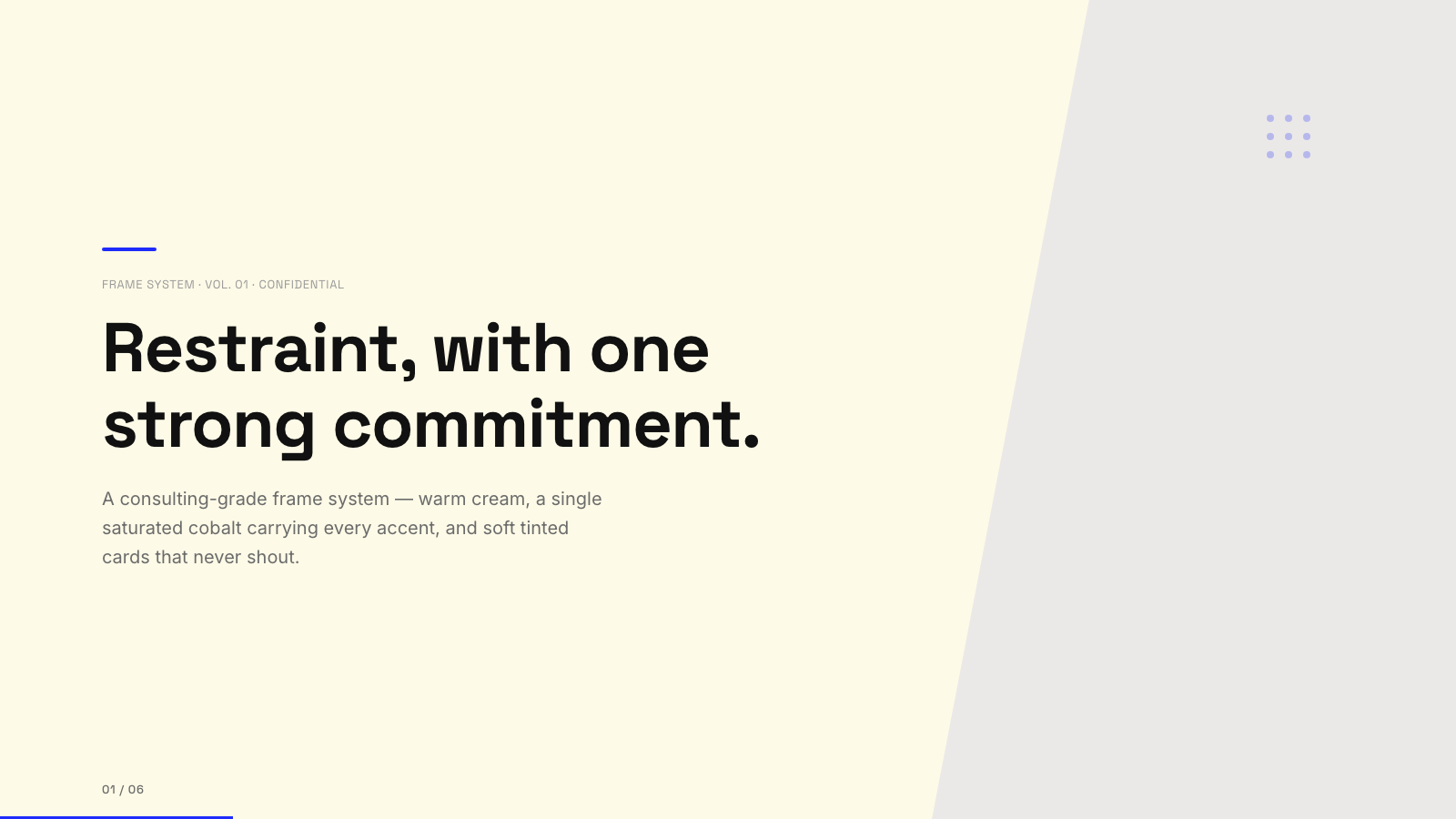
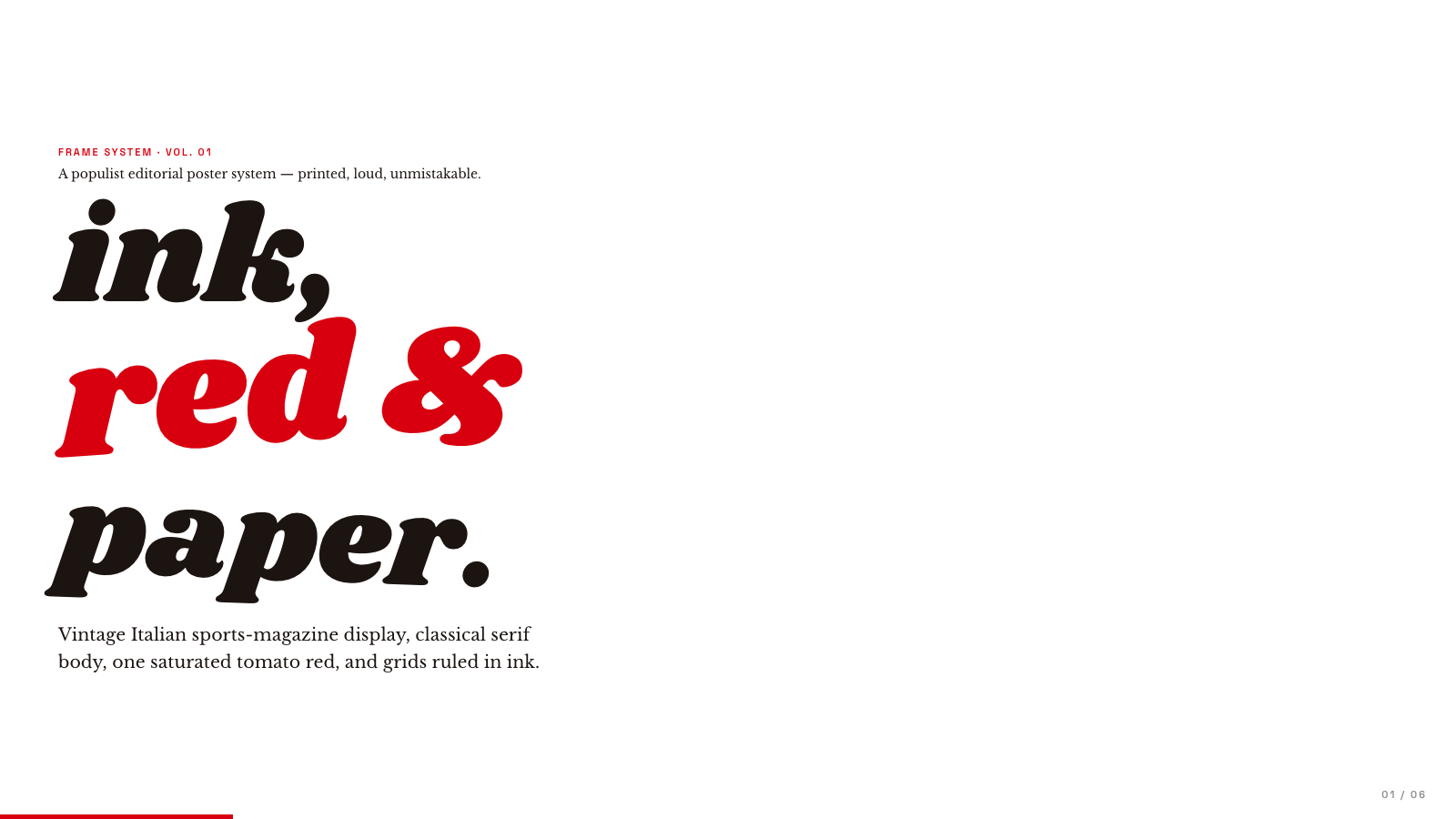
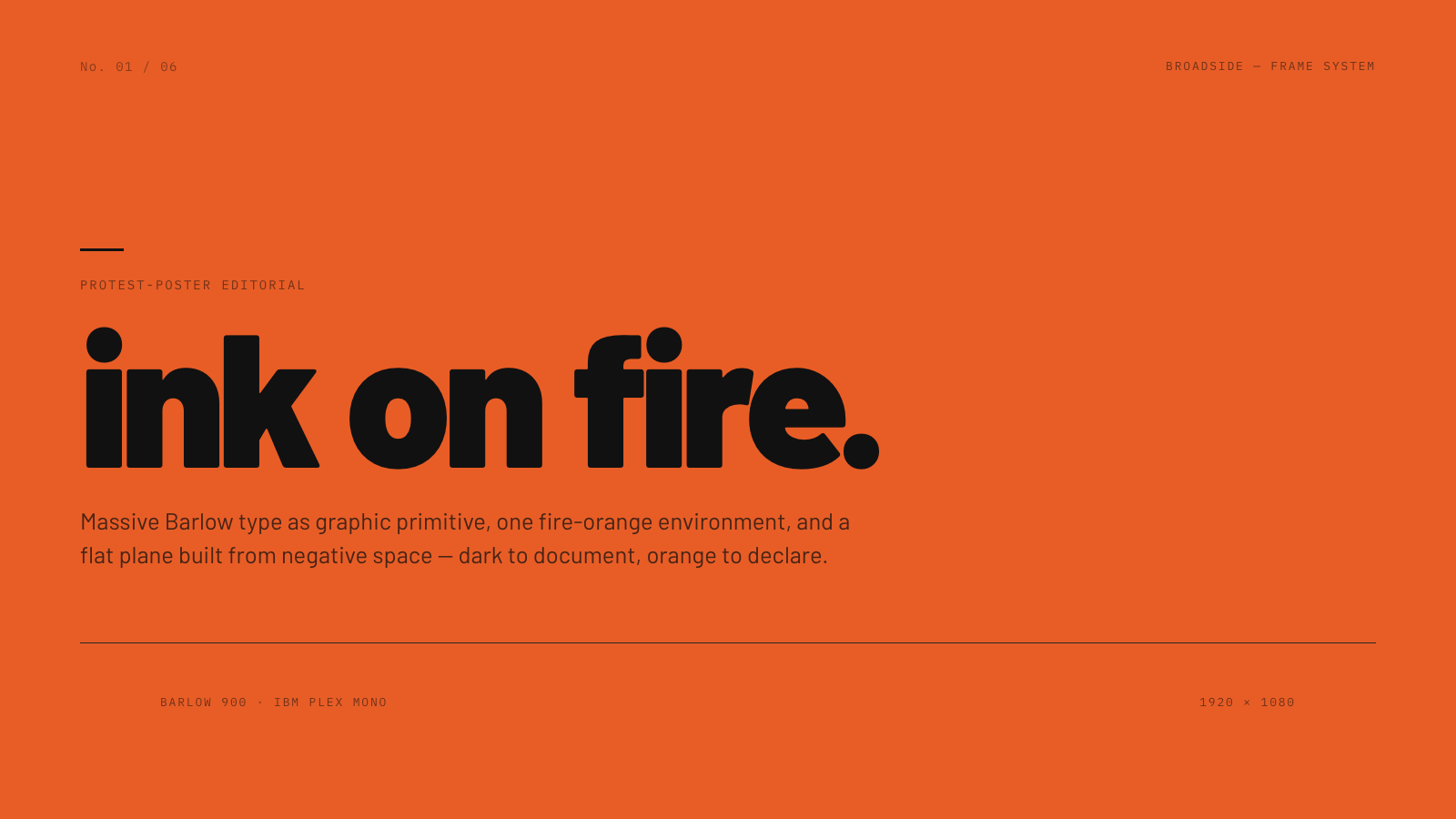
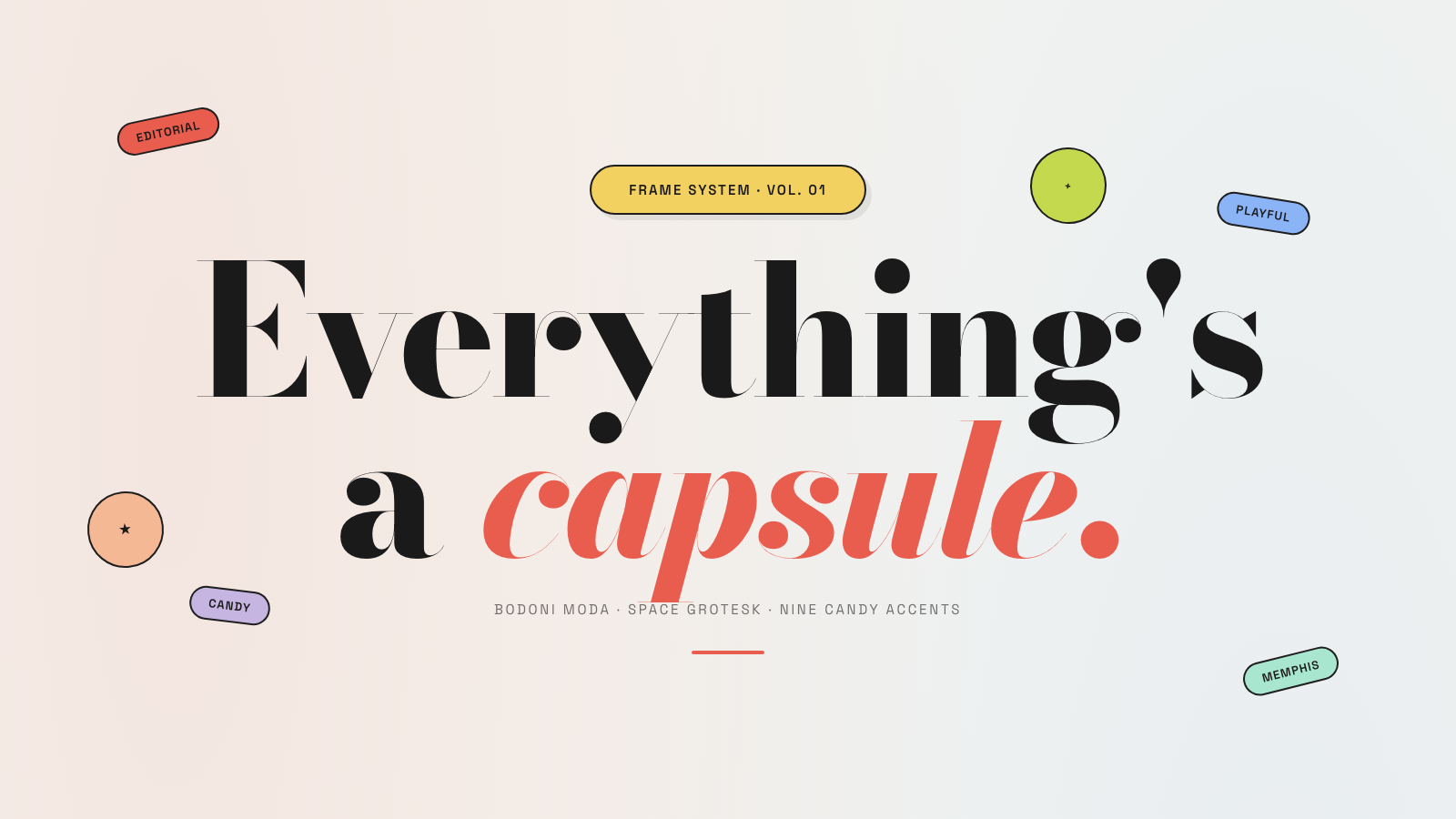
Frame.md
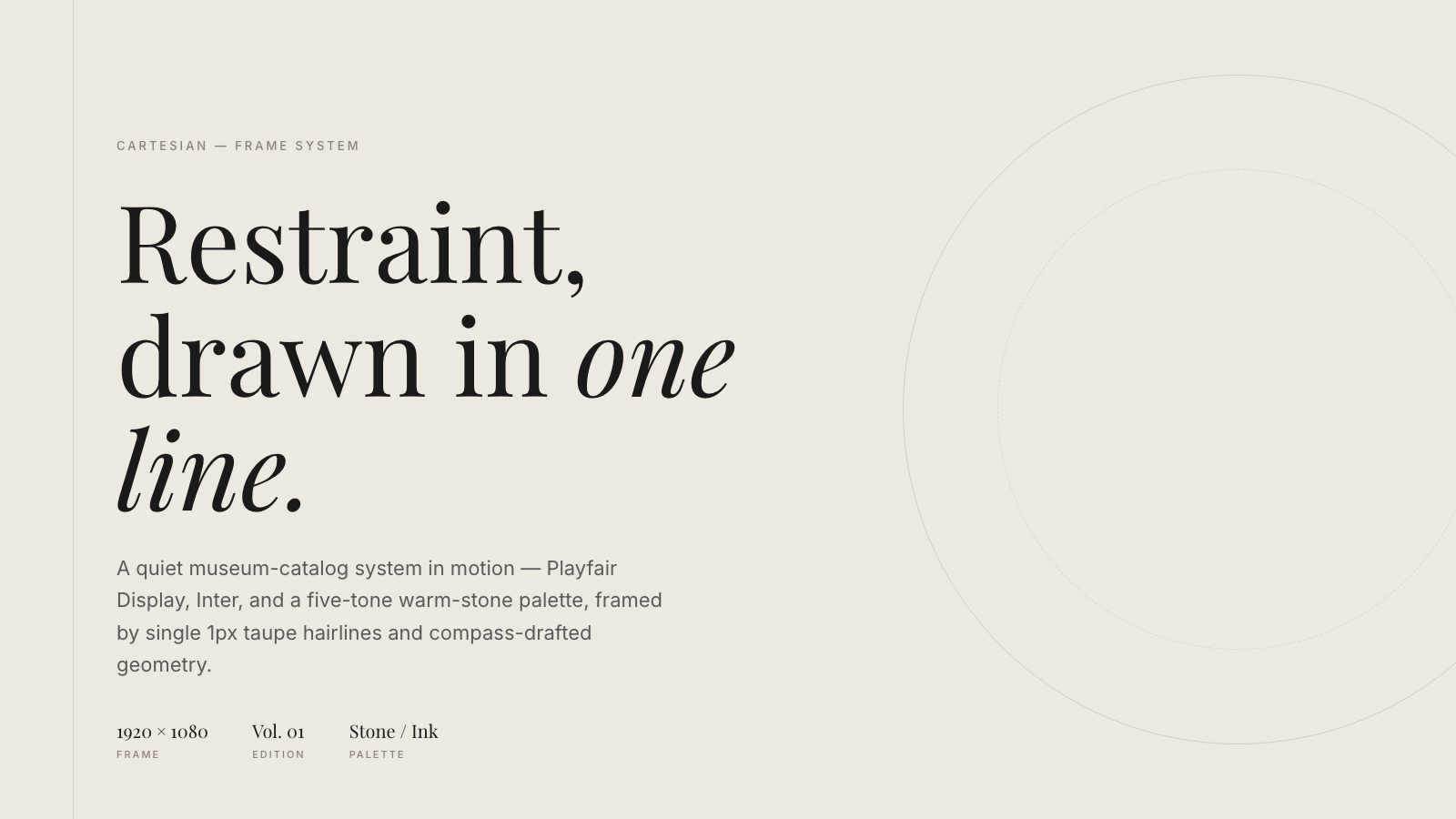
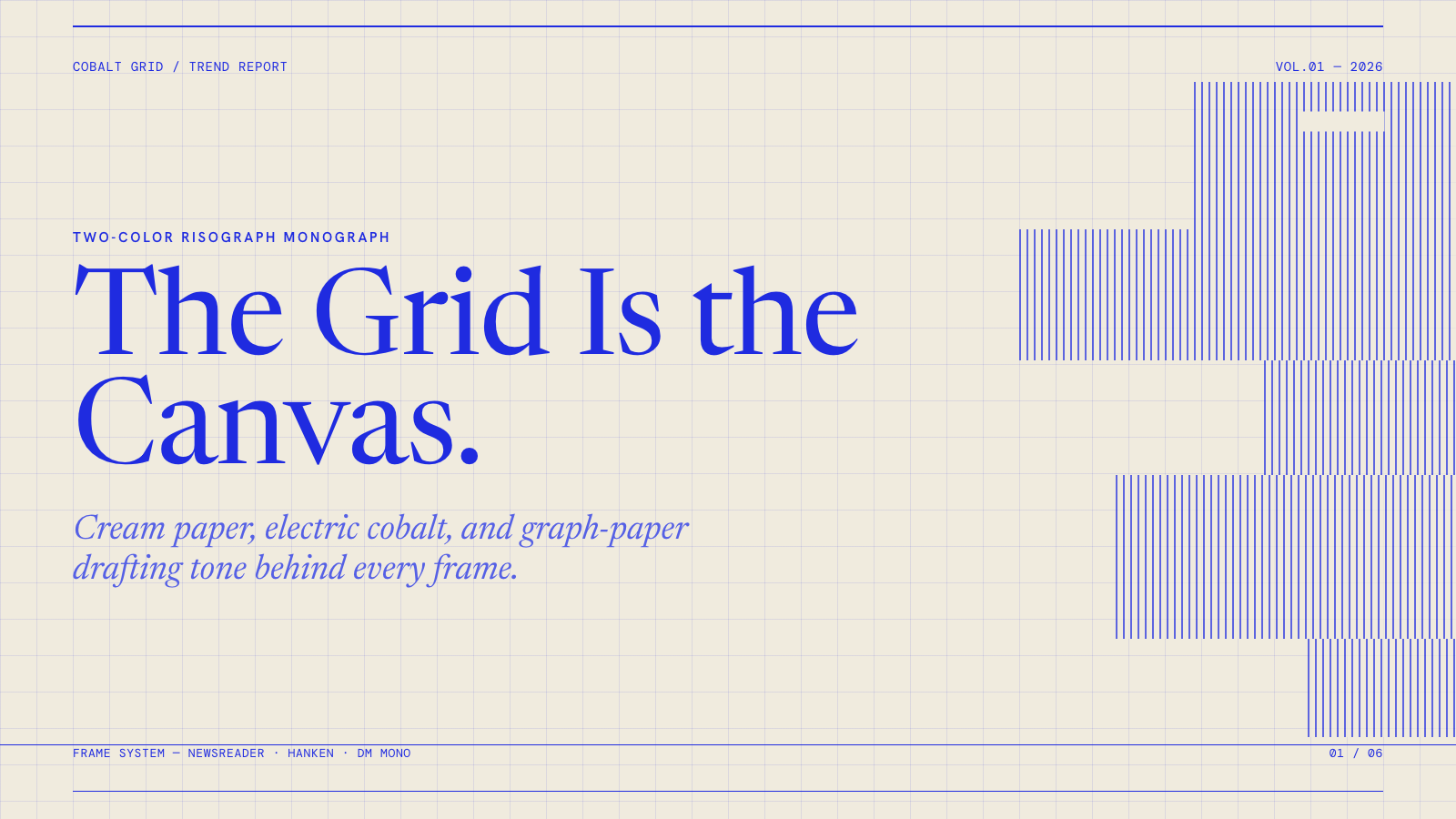
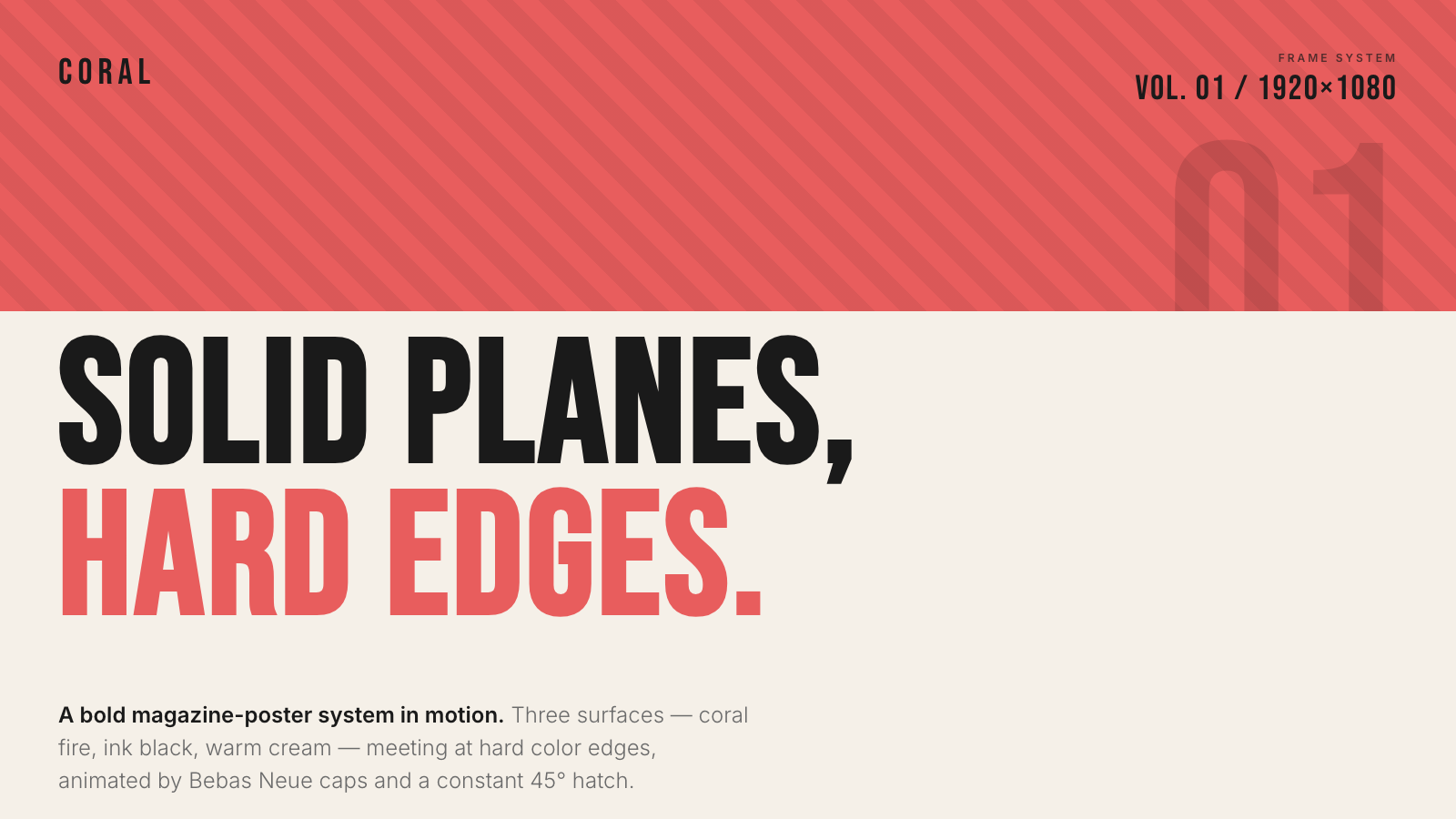
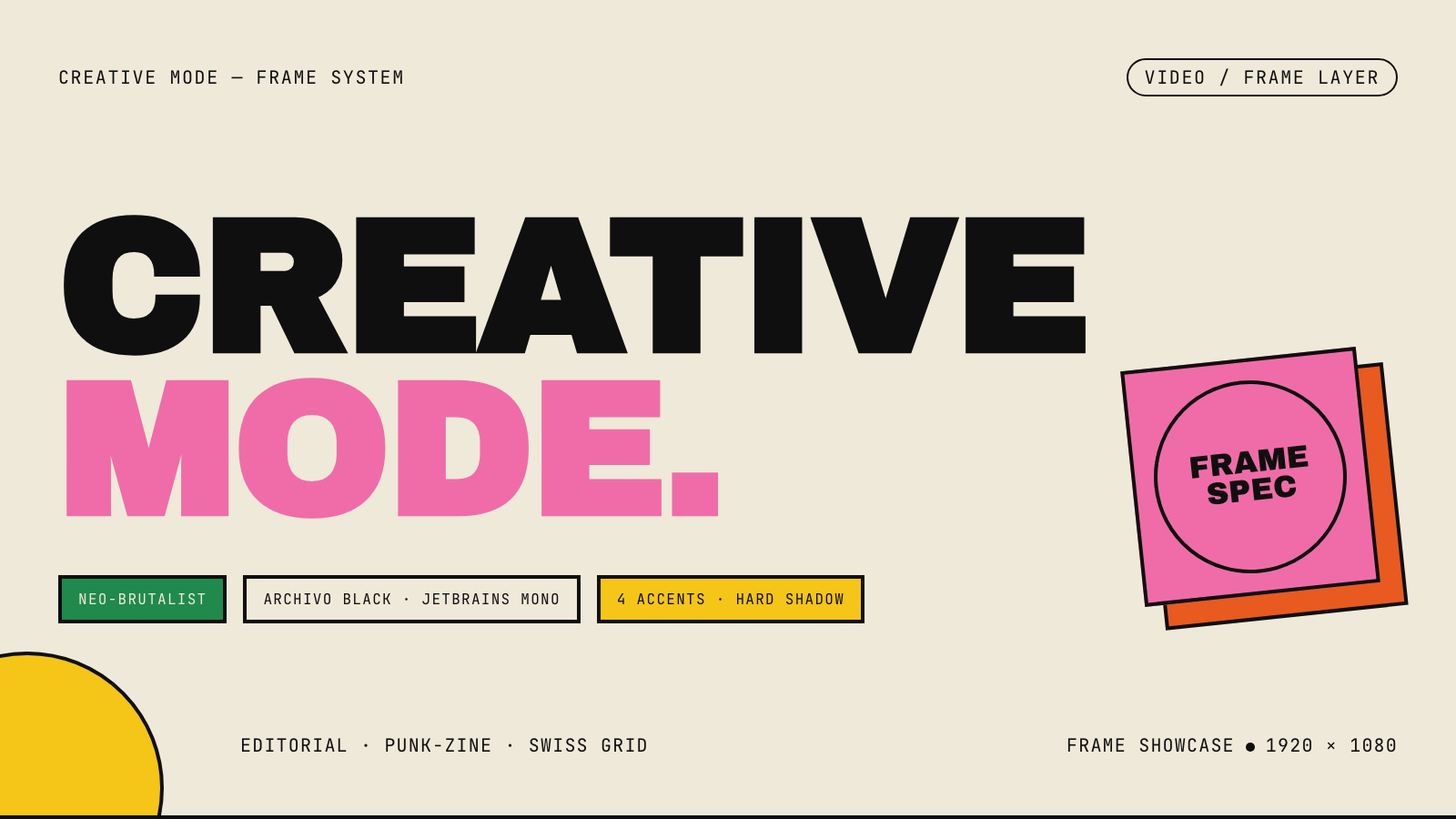
frame.md — your design system, ready for video.
Every brand has a design.md. None of them were written for a camera. frame.md is the missing translation layer: it takes your web-context design spec and inverts it for the frame — the same tokens, the same rules, but rewritten so an AI agent can compose a promo video without guessing at scale or reaching for web chrome.
The output is a DESIGN.md superset your whole toolchain can read. Atoms stay sacred. Composition stays free. Numbers come from the script.

Biennale Yellow |

BlockFrame |
Blue Professional |
Bold Poster |
Broadside |
Capsule |
Cartesian |
Cobalt Grid |
Coral |
Creative Mode |
Browse and remix them all at hyperframes.dev/design.
How It Works
Define a video as HTML. Add data attributes for timing and tracks. Use GSAP, CSS, Lottie, Three.js, Anime.js, WAAPI, or your own frame adapter for seekable animation.
<div id="stage" data-composition-id="launch" data-start="0" data-width="1920" data-height="1080">
  <video
    class="clip"
    data-start="0"
    data-duration="6"
    data-track-index="0"
    src="intro.mp4"
    muted
    playsinline
  ></video>

  <h1 id="title" class="clip" data-start="1" data-duration="4" data-track-index="1">Launch day</h1>

  <audio
    data-start="0"
    data-duration="6"
    data-track-index="2"
    data-volume="0.5"
    src="music.wav"
  ></audio>

  <script src="https://cdn.jsdelivr.net/npm/gsap@3/dist/gsap.min.js"></script>
  <script>
    const tl = gsap.timeline({ paused: true });
    tl.from("#title", { opacity: 0, y: 40, duration: 0.8 }, 1);
    window.__timelines = window.__timelines || {};
    window.__timelines.launch = tl;
  </script>
</div>
Preview instantly in the browser. Render locally or in Docker. The renderer seeks each frame in headless Chrome and encodes the result with FFmpeg, so the same input produces the same video.
HyperFrames Stack
HyperFrames is the open-source rendering engine, plus a growing set of tools around HTML-native video creation.
| Piece | Status | What it does |
|---|---|---|
| CLI | Available | Scaffold, preview, lint, inspect, and render local video projects |
| Core / Engine / Producer | Available | Parse compositions, drive headless Chrome, encode video, and mix audio |
| Catalog | Available | Reusable blocks and components for transitions, overlays, captions, charts, maps, and effects |
| Agent skills | Available | Teach coding agents the video-production patterns that generic web docs miss |
| Studio | Available, evolving | Browser surface for previewing and editing compositions |
| AWS Lambda rendering | Available | Deploy a distributed render stack and drive renders from your laptop or CI |
| hyperframes.dev | Available | Community playground for previewing, iterating, sharing, and rendering HTML-native video projects |
| frame.md | Available | Invert your design system for the camera — a DESIGN.md superset an agent can compose video from |
Catalog
Install ready-to-use blocks and components:
npx hyperframes add flash-through-white   # shader transition
npx hyperframes add instagram-follow      # social overlay
npx hyperframes add data-chart            # animated chart
Browse the catalog at hyperframes.heygen.com/catalog.
Why HyperFrames?
- HTML-native: compositions are HTML files with data attributes. No React requirement, no proprietary timeline format.
- Agent-friendly: agents already write HTML, and the CLI is non-interactive by default.
- Deterministic: same input, same frames, same output. Built for CI, regression tests, and automated rendering.
- No build step: an
index.htmlcomposition plays as-is and can be previewed directly in the browser. - Adapter-based animation: bring GSAP, CSS animations, Lottie, Three.js, Anime.js, WAAPI, or a custom runtime.
- Open source: Apache 2.0 license, with no per-render fees or commercial-use thresholds.
HyperFrames vs Remotion
HyperFrames is inspired by Remotion. Both tools render video with headless Chrome and FFmpeg. The main difference is the authoring model: Remotion's bet is React components; HyperFrames' bet is plain HTML that humans and agents can both write easily.
| HyperFrames | Remotion | |
|---|---|---|
| Authoring | HTML + CSS + seekable animation | React components |
| Build step | None; index.html plays as-is |
Bundler required |
| Agent handoff | Plain HTML files | JSX / React project |
| Library-clock animations | Seekable, frame-accurate via adapters | Wall-clock animation patterns need care |
| Distributed rendering | Local and AWS Lambda render paths | Remotion Lambda, mature cloud renderer |
| License | Apache 2.0 | Source-available Remotion License |
Read the full comparison in the HyperFrames vs Remotion guide.
Documentation
Full documentation: hyperframes.heygen.com/introduction
Packages
| Package | Description |
|---|---|
hyperframes |
CLI for creating, previewing, linting, and rendering compositions |
@hyperframes/core |
Types, parsers, generators, linter, runtime, and frame adapters |
@hyperframes/engine |
Seekable page-to-video capture engine using Puppeteer and FFmpeg |
@hyperframes/producer |
Full rendering pipeline for capture, encode, and audio mix |
@hyperframes/studio |
Browser-based composition editor UI |
@hyperframes/player |
Embeddable <hyperframes-player> web component |
@hyperframes/shader-transitions |
WebGL shader transitions for compositions |
@hyperframes/aws-lambda |
AWS Lambda SDK and deployment surface for distributed renders |
Community
HyperFrames is used in production at HeyGen, with community examples from teams like tldraw, TanStack, and others in ADOPTERS.md. Open a PR if your team is using HyperFrames.
- Questions and ideas: Discord
- Bugs and feature requests: GitHub Issues
- Security reports: SECURITY.md
- Contributions: CONTRIBUTING.md
Development Note
The repo uses Git LFS for golden regression-test baselines under packages/producer/tests/**/output.mp4 (about 240 MB of .mp4 files). If you're cloning the full repo for development, install Git LFS first:
# macOS
brew install git-lfs

# Ubuntu / Debian
sudo apt install git-lfs

# Windows
winget install GitHub.GitLFS

# Then, once per machine
git lfs install
If you only need source files, you can skip LFS content:
GIT_LFS_SKIP_SMUDGE=1 git clone https://github.com/heygen-com/hyperframes.git